
Callyzer – Dialer & Analytics
2.6.8 by LogiMinds Technolab LLP. (0 Reviews) May 09, 2026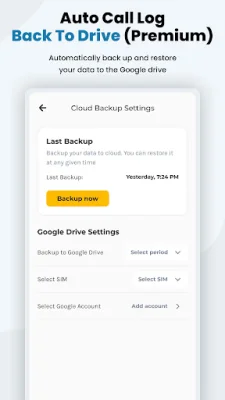
Latest Version
2.6.8
May 09, 2026
LogiMinds Technolab LLP.
Communication
Android
0
Free
com.websoptimization.callyzerpro
Report a Problem
More About Callyzer – Dialer & Analytics
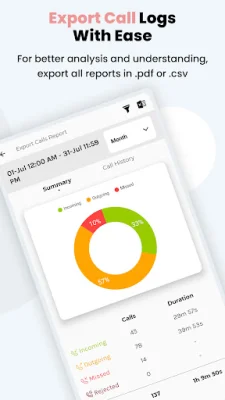
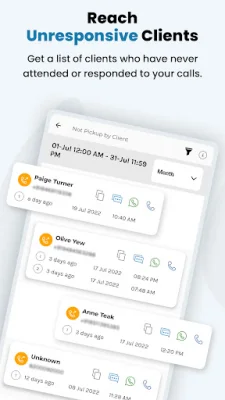
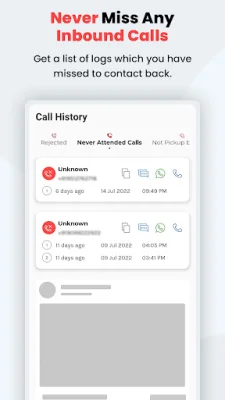
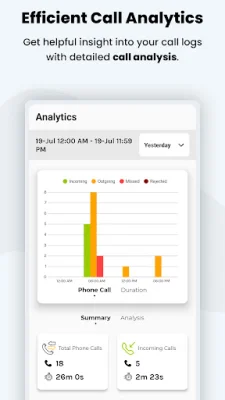
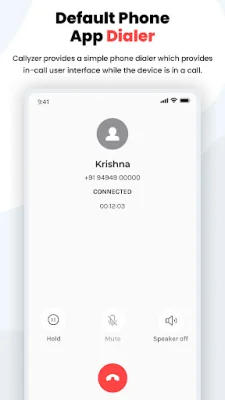
Callyzer is a user-friendly and privacy-focused app that allows you to make calls, analyze your call history, back up your data, and generate reports all in one place. With its key features, Callyzer aims to simplify and streamline your calling experience while keeping your personal information secure. One of the main features of Callyzer is its smart default phone dialer. By setting Callyzer as your primary dialer, you can handle incoming and outgoing calls in one place. The in-call interface is clean and easy to use, with options to mute, use speakerphone, and put calls on hold. Callyzer also offers call analytics and reports, giving you a complete breakdown of your incoming, outgoing, and missed calls. You can view daily, weekly, and monthly summaries at a glance, as well as detailed reports for each contact. This feature provides valuable insights into your calling habits and interactions. With Callyzer, you can also search your contacts and view detailed reports for each one. Your contacts are never stored on the app's servers, ensuring the security of your personal information. Additionally, you can compare interactions across multiple contacts side by side for a comprehensive analysis. The app also allows you to back up and restore your call logs, giving you peace of mind in case you switch to a new device. Your call logs are only stored on your device and not on any server. You can also export your call data to CSV or spreadsheet format for personal tracking and offline analysis. Callyzer also offers a premium feature that automatically backs up your call data to your personal Google Drive. You can choose the backup schedule and restore your data anytime, knowing that it is stored securely in your own account. The app also allows you to add notes and tags to your calls for easy search and follow-up. To ensure transparency and protect your privacy, Callyzer only uses permissions that are necessary for its core functionality and only with your approval. Your call log data remains on your device and is never uploaded to the app's servers. No call content is accessed or shared with third parties, and data transmission is encrypted. It is important to note that Callyzer is designed for personal use on the same device and is not a monitoring or surveillance tool. If you have any questions or concerns, you can contact the app's support team through email or by visiting their website for more information on data deletion and their privacy policy.
Rate the App















Popular Apps









