

Camo – webcam for Mac and PC
2.1.8.12718 by Reincubate (0 Reviews) August 08, 2024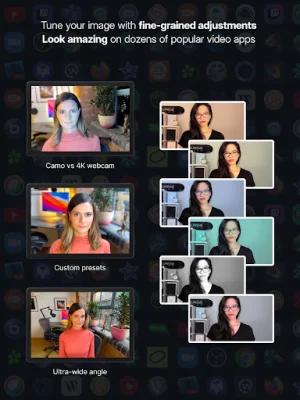



Latest Version
2.1.8.12718
August 08, 2024
Reincubate
Tools
Android
1
Free
com.reincubate.camo
Report a Problem
More About Camo – webcam for Mac and PC
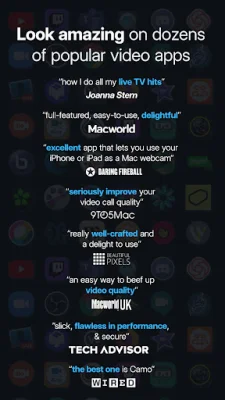
Camo is a revolutionary application that allows you to use your phone's camera as a high-quality webcam for your computer. With over 10 million satisfied users, Camo has been praised by top publications such as Wall St. Journal, MacWorld, and WIRED for its powerful features and easy-to-use interface. Unlike other webcam solutions, Camo does not require any extra hardware or drivers, making it the most convenient and cost-effective option on the market.
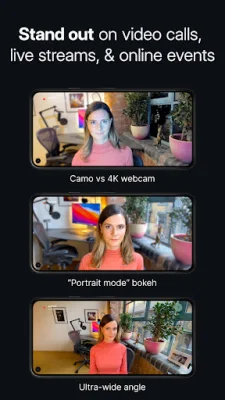
One of the standout features of Camo is its ability to use any lens on your phone, including ultra-wide, wide-angle, telephoto, and selfie lenses. You can also make adjustments and apply filters to enhance your video quality, such as zooming, panning, rotating, and adjusting light settings. With Camo, you can even use your phone's flash as a torch for better lighting. Additionally, Camo offers portrait mode for a professional-looking bokeh effect and privacy mode to blur your surroundings for added privacy.
Camo is incredibly easy to use, with a plug-and-play setup that allows you to connect your phone to your computer via Wi-Fi or USB. The unique Camo Studio app gives you full control over your video without having to touch your phone, making it perfect for video meetings and live streaming. Camo is also compatible with hundreds of apps, including Zoom, Google Meet, Microsoft Teams, and more.
At Camo, security and privacy are top priorities. The app does not capture or transmit your video feed, ensuring that your data remains private. Camo also offers a range of other features, such as low latency, high-speed video in various resolutions, powerful presets, and the ability to switch between front and back cameras in real-time.
But Camo is not just for video conferencing. It has a wide range of uses, from teaching fitness and music classes to document cameras and live streaming. The Camo team is dedicated to providing excellent support to its users and is always available to help with any questions or concerns.
To learn more about Camo and how to make the most of its features, visit their website or check out their FAQ page. With Camo, you can elevate your video quality and take your webcam game to the next level. So why settle for a mediocre webcam when you can have the best with Camo?
Rate the App















Popular Apps









