

Cast&mirror screen on TV
by Vimnicast (0 Reviews) November 03, 2025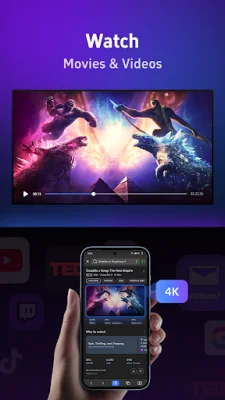
Latest Version
November 03, 2025
Vimnicast
Tools
Android
0
Free
com.vimnicast.receiver
Report a Problem
More About Cast&mirror screen on TV
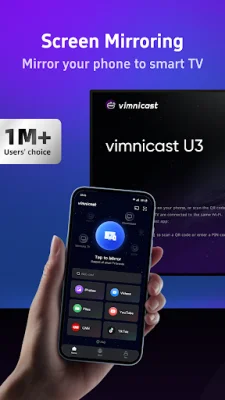
Vimnicast for TV is an application that allows you to mirror your Android device's screen onto your TV. It offers a smarter, smoother, and safer experience for screen casting, making it perfect for entertainment, work, and more. The app includes features such as anti-disturbance protection and real-time collaboration to enhance your big-screen experience.
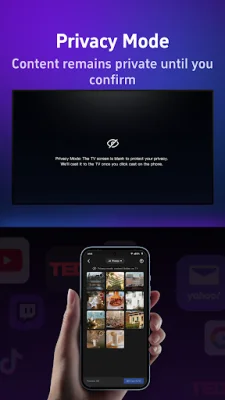
One of the key features of vimnicast for TV is its anti-disturbance protection. This means that every screen casting request requires manual confirmation on the TV, preventing any accidental interruptions or unwanted connections. This ensures a secure and uninterrupted casting experience.
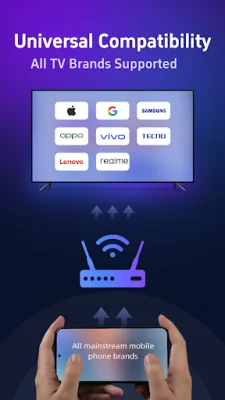
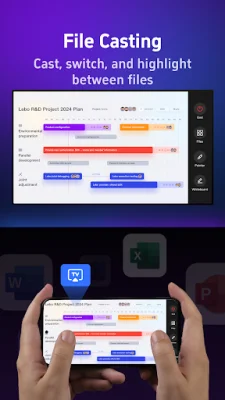
The app also offers seamless file casting, allowing you to easily switch between multiple files like PDFs, Word documents, and images. You can even highlight and annotate key points for better collaboration. Vimnicast for TV is compatible with a variety of devices, including phones, tablets, and laptops from all major platforms such as Android, iOS, Windows, and macOS.
With vimnicast for TV, you can enjoy high-quality streaming with smooth and lag-free HD mirroring for videos, photos, and presentations. This makes it perfect for home entertainment, meetings, and education. The app also offers an easy and secure connection with simple setup and p2p device pairing.
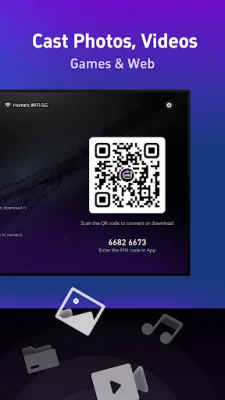
To use vimnicast for TV, simply connect your TV and streaming device to the same WiFi network. Then, go to the Google Play Store on your TV and search for "vimnicast for TV." Open the app on your phone and select your TV from the list. From there, you can choose the feature you want and follow the instructions.
Vimnicast for TV offers a subscription service, with payment charged to your Google ID account upon purchase confirmation. Subscriptions automatically renew unless canceled at least 24 hours before the end of the current period. You can manage and cancel your subscriptions through your Google ID account under Payments & Subscriptions in the Google Play Store.
The app also has a privacy policy and terms of use, which can be found on the Vimnicast website. For support, you can contact the team at [email protected]. They strive to provide original and SEO-oriented support for their users.
Rate the App










Popular Apps









