Chrome Remote Desktop
by Google LLC (0 Reviews) July 24, 2024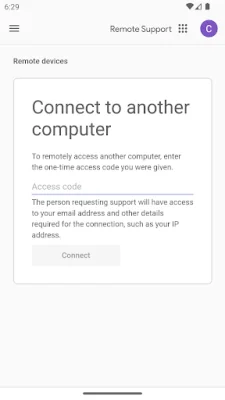
Latest Version
July 24, 2024
Google LLC
Tools
Android
0
Free
com.google.chromeremotedesktop
Report a Problem
More About Chrome Remote Desktop
The Chrome Remote Desktop app, available on the Chrome Web Store, allows you to remotely access your computers from any device. This means that you can access your computer from your Android device, as long as you have the app installed and set up on both devices. This can be useful for a variety of reasons, such as accessing files or programs on your computer while you are away from it, or troubleshooting technical issues for someone who is not physically near their computer.
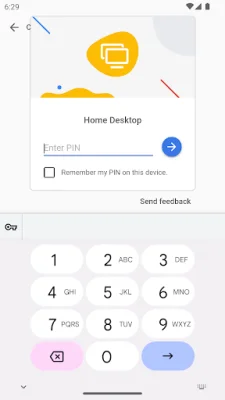
To set up remote access, you will need to install the Chrome Remote Desktop app on each of your computers. This can be done easily through the Chrome Web Store. Once the app is installed, you will need to follow the instructions to set up remote access. This may involve creating a PIN or signing in with your Google account.
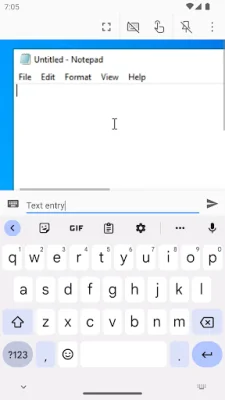
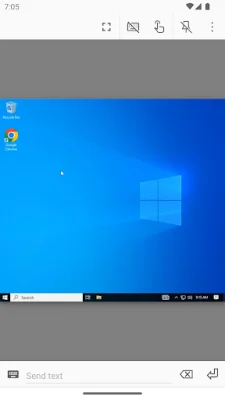
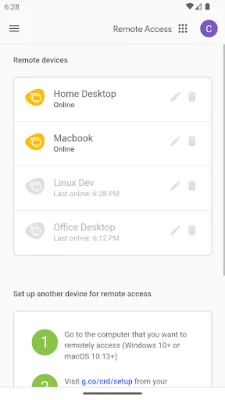
Once you have set up remote access on your computers, you can then use the Chrome Remote Desktop app on your Android device to connect to them. Simply open the app and tap on the computer you want to connect to. As long as the computer is online and has the Chrome Remote Desktop app running, you should be able to establish a remote connection.
It is important to note that for privacy purposes, you should review the Google Privacy Policy and the Chrome Privacy Policy before using the Chrome Remote Desktop app. These policies outline how your data and information may be collected and used while using the app. It is always a good idea to be aware of the privacy policies of any app or service you use.
In summary, the Chrome Remote Desktop app is a convenient and easy way to remotely access your computers from any device. By setting up remote access on your computers and using the app on your Android device, you can access your files and programs from anywhere. Just be sure to review the privacy policies before using the app to ensure your data is protected.
Rate the App














Popular Apps









