

Class timetable by TimeTo
2.0.8 by oWorld Software - App for everyday ! (0 Reviews) October 10, 2024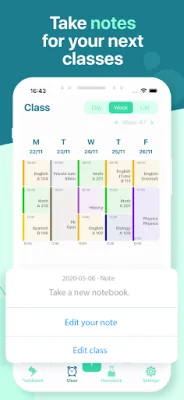

Latest Version
2.0.8
October 10, 2024
oWorld Software - App for everyday !
Education
Android
0
Free
fr.oworld.student_timetable
Report a Problem
More About Class timetable by TimeTo
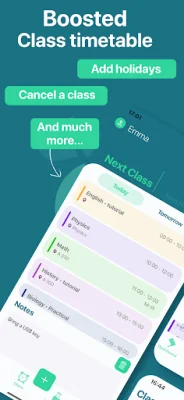
The class timetable app is a convenient and practical tool for students to organize their class schedules. With this app, users can easily input their classes, tutorials, and practical courses, along with important details such as classroom number, teacher's name, time, duration, and frequency. The app also allows users to customize the display color for each subject, making it easy to differentiate between classes.
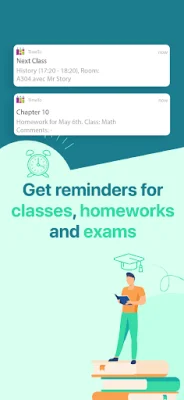
One of the most useful features of this app is its ability to manage homework. Users can add homework to their timetable with an end date and update its status once it's completed. This makes it easy for students to keep track of their assignments and stay on top of their workload. The app also has a feature that displays all homework to be done, sorted by date or status, making it perfect for students who want to stay organized.
The class timetable app is highly customizable, allowing users to tailor it to their specific needs. For example, if a user has no classes on Saturdays or Sundays, they can choose not to display those days in their schedule. Similarly, if a user never starts classes before 10am, they can adjust the schedule accordingly. The app even accommodates shorter classes, with the option to input a 15-minute course.
This app is designed to be user-friendly and catered to the needs of students. If users have any questions or ideas to improve the app, they can easily contact the developer at [email protected]. The app also has a terms of service and privacy policy in place to protect user information and ensure a positive user experience. Overall, the class timetable app is a valuable tool for students to stay organized and on top of their academic responsibilities.
Rate the App














Popular Apps









