
Clock
12.3.21.3 by Samsung Electronics Co., Ltd. (0 Reviews) July 25, 2024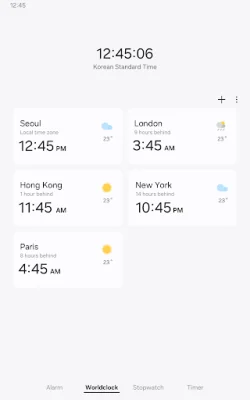
Latest Version
12.3.21.3
July 25, 2024
Samsung Electronics Co., Ltd.
Tools
Android
0
Free
com.sec.android.app.clockpackage
Report a Problem
More About Clock
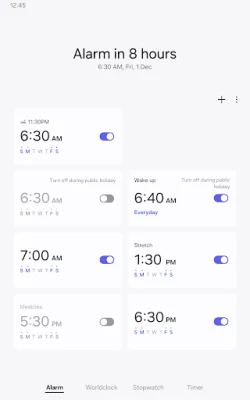
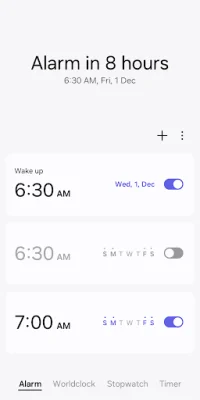
The Alarm feature allows you to set alarms for specific dates and times. You can also set repeat alarms that skip one day and can be turned on again. This feature also includes a Snooze option, which functions like setting multiple alarms. This allows you to customize your alarms and ensure you wake up on time.
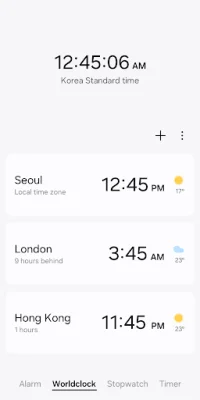
The World Clock feature allows you to easily check the time and weather for different cities. You can quickly confirm the location of a specific city by using the globe feature. This is useful for travelers or those who have friends and family in different time zones.
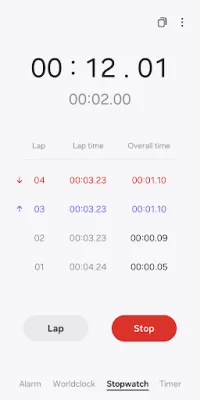
The Stopwatch feature allows you to track the elapsed time for different sections and copy the recorded value. This is useful for timing activities such as workouts, cooking, or studying. You can also use this feature to keep track of multiple tasks at once.
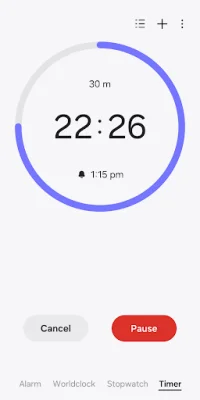
The Timer feature allows you to save frequently used timer times as preset timers. You can also run multiple timers simultaneously, making it easier to manage your time and tasks. This feature is helpful for activities that require precise timing, such as baking or presentations.
In order to use this app, certain permissions are required. However, you can still use the basic features of the app without allowing these permissions. Optional permissions include access to music and audio, notifications, and photos and videos. These permissions are used for features such as selecting alarm sounds, receiving timer alerts, and choosing alarm backgrounds.
Rate the App















Popular Apps









