
Detect WiFi: Who is on my WiFi
28.0.1.22 by SharyPlay (0 Reviews) November 26, 2025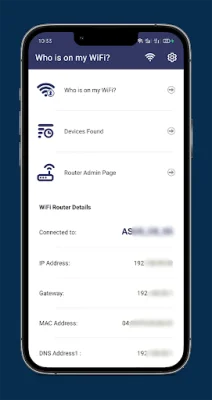
Latest Version
28.0.1.22
November 26, 2025
SharyPlay
Tools
Android
0
Free
com.wifidetector.whousemywifi.wifiscan
Report a Problem
More About Detect WiFi: Who is on my WiFi
If you're experiencing slow WiFi speeds, it's possible that someone is using your WiFi without your permission. This can not only slow down your internet connection, but also pose a security risk. With the Who is on my WiFi app, you can easily identify all the devices connected to your WiFi network. This allows you to determine if there are any unauthorized users and take action to protect your WiFi security.
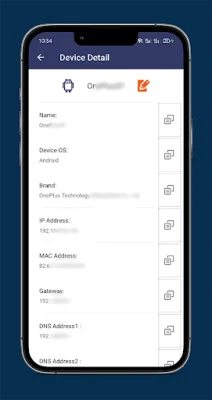
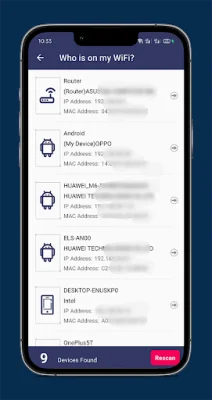
The app offers a variety of features to help you manage your WiFi network. First, it can scan your WiFi to find all the devices currently connected. This gives you a comprehensive list of all the devices using your WiFi, including their device details. This way, you can easily identify any unfamiliar devices and determine if they are authorized to use your WiFi.
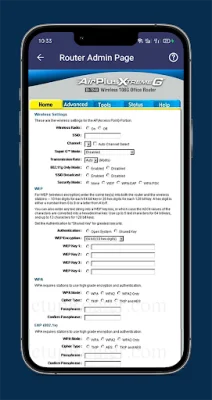
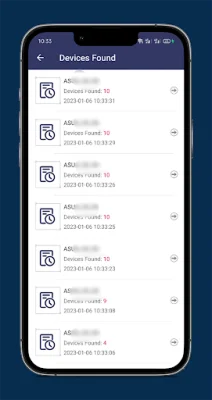
In addition, the app allows you to block any unauthorized devices at the router admin setup page. This means that you can prevent these devices from accessing your WiFi network in the future, ensuring that your connection remains secure and your internet speeds are not affected. The app also keeps a record of all the devices that have ever connected to your WiFi, giving you a complete history of your network's activity.
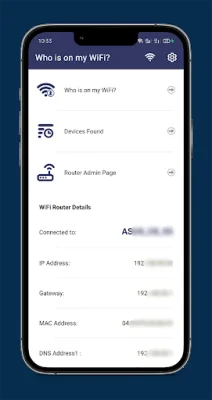
Furthermore, the app provides you with information about your WiFi network, such as its name and password. This way, you can easily access and manage your WiFi settings without having to go through your router's admin page. This can be especially useful if you need to change your WiFi password to further secure your network.
In summary, the Who is on my WiFi app is a useful tool for anyone who wants to monitor and protect their WiFi network. With its ability to scan for connected devices, block unauthorized users, and provide network information, it gives you the power to ensure that your WiFi is secure and running at optimal speeds. So if you suspect that someone may be stealing your WiFi, this app can help you identify and stop them in their tracks.
Rate the App















Popular Apps









