

Download Twitter Videos - GIF
2.0.132 by Photo and Video App (0 Reviews) October 29, 2024



Latest Version
2.0.132
October 29, 2024
Photo and Video App
Tools
Android
0
Free
tweeter.gif.twittervideodownloader
Report a Problem
More About Download Twitter Videos - GIF
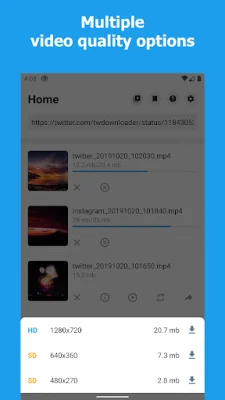
This app allows users to easily and quickly download videos from Twitter by following a few simple steps. It also has the ability to save queries in a database, saving internet traffic and preventing the download of duplicate videos or GIFs. Users can choose the resolution of the video they want to download and can see the size of the video before deciding which one to download. The app also has a built-in share function, making it easy to share the downloaded video on other social media platforms like Snapchat, Instagram, WhatsApp, and Facebook. The downloaded videos are saved to external storage, making it easy to access and play them from other apps like the gallery, file manager, or video player.
There are two easy ways to download videos from Twitter using this app. Users can either copy and paste the link or access it directly from the share options, which is the recommended method. The app also has a built-in download manager, allowing users to easily control the download progress. It also has a built-in video player for playing videos and GIFs. Users can easily access the downloaded videos, view their path, and share them.
In addition to downloading videos, this app also has the ability to save GIFs from Twitter. It also supports multi-task downloading, allowing users to download multiple files at the same time. The app has very little advertising, providing the best user experience. It is also lightweight, only taking up 2.9 Mb of storage space.
To download a video from Twitter using this app, users can follow these simple steps: first, click on the share icon below the video or GIF in the Twitter app. Then, choose "Share Tweet via..." and select the "Download Twitter videos" app. Inside the app, click on the download icon and select the desired video resolution. Users can also wait or browse other Twitter videos while the download is in progress. Another way to download videos is by copying the tweet containing the video or GIF and pasting the link into the app. The app will automatically paste the link if it is not already open.
It is important to note that users should not use this app to save or retweet videos or GIFs without the permission of the respective owner. The app is not affiliated with Twitter, but rather serves as a tool to help users download videos and GIFs from the platform. If users find this app helpful, they are encouraged to rate it and provide feedback for improvements. If support is needed, users can email the developer at [email protected]. Thank you for using the Download Twitter Videos app.
Rate the App















Popular Apps









