

DS Fake GPS Location
1.08 by Disciple Skies Software (0 Reviews) April 24, 2026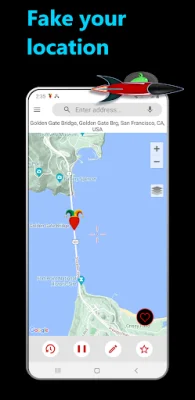
Latest Version
1.08
April 24, 2026
Disciple Skies Software
Tools
Android
0
Free
com.discipleskies.mock_location_spoofer
Report a Problem
More About DS Fake GPS Location
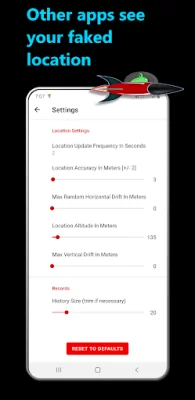
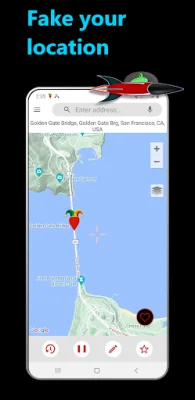
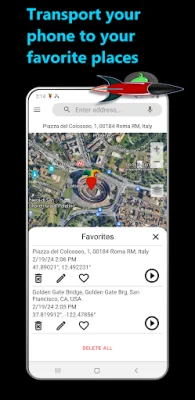
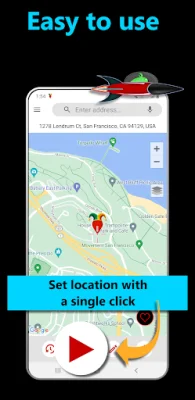
When you turn on location emulation in this app, it will provide a fake location to other apps and services on your device. This is useful for developers who need to test their location-based apps with different locations. To use the app, you will first need to go through a setup process which involves enabling developer mode, selecting the app as the mock location app, and granting it approximate location permission.
The app requires access to your location in order to access all the location providers on your device, specifically Google's fused location provider. It will never access your true location and only uses the permission to provide the location information you set in the app to Google's fused location provider.
Now, you may be wondering if this app hides your location from everyone. While most apps, such as Google Maps, will believe your fake location is your actual location, there are some exceptions. This is because some apps use your IP address or cellular signal triangulation to determine your location. To hide your IP address and approximate location, you will need to use a virtual private network (VPN).
Additionally, your cellular service provider can also pinpoint your location by triangulating your cellular signal to nearby cell towers. This technology can be used by law enforcement and government agencies to locate individuals. The only reliable way to hide your location from this type of technology is to not carry your phone. Simply turning off your phone or removing the battery may not be effective.
Rate the App















Popular Apps









