
Earphone Alarm
by UT app (0 Reviews) July 29, 2024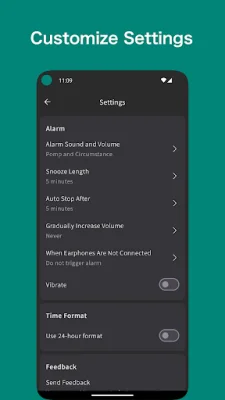
Latest Version
July 29, 2024
UT app
Tools
Android
0
Free
com.wixsite.ut_app.utalarm
Report a Problem
More About Earphone Alarm
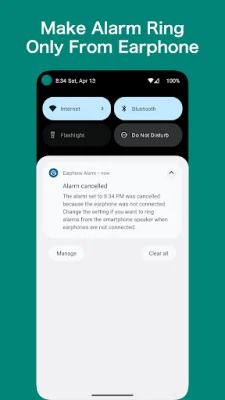
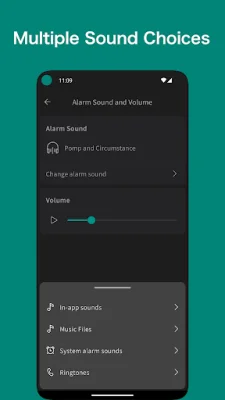
The Settings feature of this application allows users to customize their alarm experience. One of the options available is the ability to choose an alarm sound from a variety of options, including in-app sounds, music files, and system sounds like ringtones. This allows users to personalize their alarm and make it more enjoyable to wake up to. In addition to selecting an alarm sound, users can also adjust the alarm volume to their preference. This ensures that the alarm is loud enough to wake them up, but not too loud to be disruptive. Another customizable feature is the snooze length, which allows users to choose from a range of options, including 1 minute, 2 minutes, 3 minutes, 5 minutes, 10 minutes, 15 minutes, and 20 minutes. This gives users the flexibility to snooze for a shorter or longer period of time, depending on their needs. The auto stop feature is another useful setting that allows users to set a time for the alarm to automatically silence. This can be set to 1 minute, 2 minutes, 3 minutes, 5 minutes, or 10 minutes. This is helpful for those who tend to fall back asleep after hitting the snooze button, as it ensures that the alarm will eventually turn off on its own. For those who prefer a more gradual wake-up experience, the application also offers the option to gradually increase the alarm volume. This means that the alarm will start off quietly and gradually get louder, making it less jarring and more pleasant to wake up to. Another setting that users can adjust is what happens when earphones are not connected. They can choose to have the alarm use the smartphone speaker or not trigger the alarm at all. This is useful for those who may forget to disconnect their earphones before going to bed. Lastly, users can also select their preferred time format, either 12-hour or 24-hour. This allows for a more personalized experience and ensures that the time is displayed in a format that is most convenient for the user. Overall, the Settings feature of this application offers a range of customizable options to enhance the alarm experience and make waking up a little easier.
Rate the App















Popular Apps









