

Home Back Button, Easy Touch
1.1.18 by Powerful Cleaner Studio (0 Reviews) May 02, 2026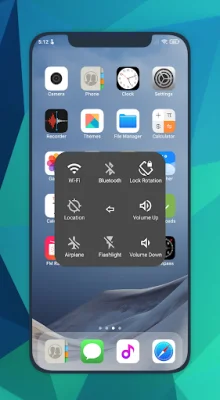
Latest Version
1.1.18
May 02, 2026
Powerful Cleaner Studio
Tools
Android
0
Free
cleanerstudio.easytouch.virtualhomebutton
Report a Problem
More About Home Back Button, Easy Touch
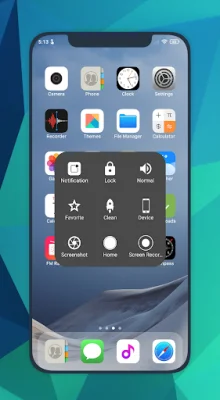
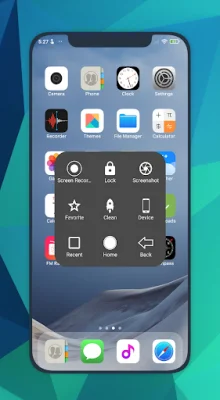
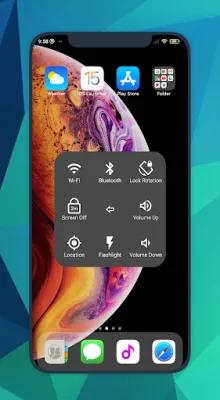
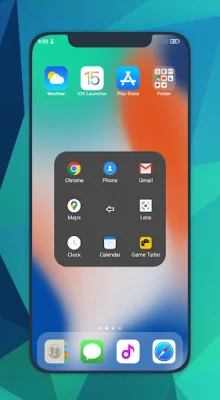
Assistive Touch is a user-friendly application that allows you to replace your hard keys, such as the Home Button, Back Button, Recent Button, Power Button, and Volume Button, with virtual buttons on your Android device. This app is designed to make navigating your device easier and more convenient, especially for those who may have difficulty using the physical buttons. With Assistive Touch, you can easily access your favorite apps, take screenshots, and even record your screen with audio.
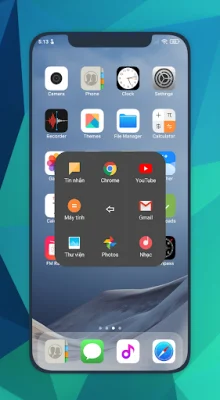
One of the key features of Assistive Touch is the ability to customize your virtual buttons and gestures. You can set single tap, double tap, and long press gestures for your favorite actions, making it even easier to use your device. This app also offers a variety of quick settings, such as turning on or off WiFi and Bluetooth, changing audio modes, and adjusting screen brightness. You can even save your favorite apps for quick access.
Assistive Touch also offers a range of accessibility options, such as the ability to turn off the screen and show notifications using the Device Administrator permission, and using Accessibility services for actions like Home, Back, Recent, and split screen. This app is constantly improving and updating to provide the best user experience possible.
If you ever want to uninstall Assistive Touch, simply open the app and scroll down to click on the uninstall button. This app is grateful for your support and strives to be original and SEO-oriented. With Assistive Touch, you can make navigating your Android device easier and more convenient, so give it a try today!
Rate the App















Popular Apps









