

MSI Router
1.0.24 by MSI(Micro-Star INT'L CO., LTD.) (0 Reviews) May 02, 2026




Latest Version
1.0.24
May 02, 2026
MSI(Micro-Star INT'L CO., LTD.)
Tools
Android
0
Free
com.msi.msirouter
Report a Problem
More About MSI Router
MSI Radix is a powerful network management application that allows users to easily set up and monitor their network with just a few simple steps. With this application, users can create WiFi and guest WiFi profiles, making it easy to manage and control access to their network. Additionally, the AI QoS mode can be easily changed with just a tap, allowing users to customize their network to suit their specific needs.
One of the key features of MSI Radix is its network monitor and management capabilities. Users can easily view and track network usage in real-time, giving them a better understanding of how their network is being utilized. This can be especially useful for those who want to optimize their network for specific tasks, such as gaming, streaming, or working from home.
The application also offers clients device management, allowing users to easily add or remove devices from their network. This can be helpful for those who want to keep track of which devices are connected to their network and manage their access.
Another standout feature of MSI Radix is its AI QoS mode, which offers different settings for gaming, streaming, working from home, and an AI auto mode. This allows users to prioritize certain tasks and ensure a smooth and efficient network experience.
In addition to network management, MSI Radix also offers parental control and a game center. These features allow users to set restrictions and limits for certain devices or users, as well as access a variety of games and entertainment options.
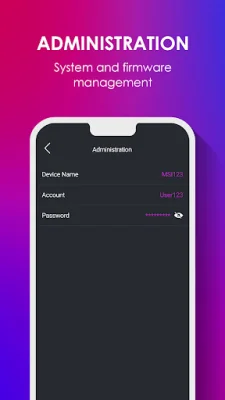
The application also includes a setup wizard, making it easy for users to get started and set up their network quickly and efficiently. And for those who want more control over their network, MSI Radix also offers system management capabilities, allowing users to customize and fine-tune their network settings.
To learn more about MSI Radix and its features, visit the MSI website at https://msi.com. With its user-friendly interface and powerful capabilities, MSI Radix is a must-have for anyone looking to easily manage and optimize their network.
Rate the App















Popular Apps









