
EastWest EasyWay
9.5.5 by EastWest Bank (0 Reviews) November 09, 2025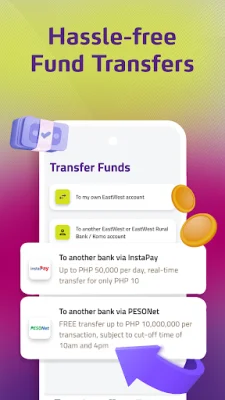

Latest Version
9.5.5
November 09, 2025
EastWest Bank
Finance
Android
0
Free
com.eastwest.mobile.dxp
Report a Problem
More About EastWest EasyWay
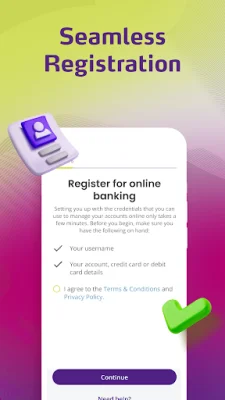
EastWest's new mobile banking app, EasyWay, offers a seamless registration process for enrolling your deposit and credit card accounts. The steps are optimized and easy to follow, making it convenient for users to get started.
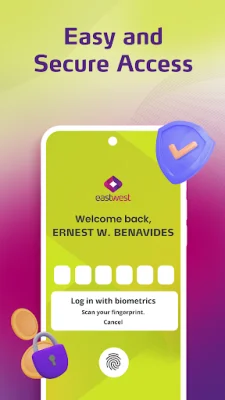
Once registered, accessing your account is both easy and secure. You can choose to use a 6-digit passcode, fingerprint, or Face ID (for Android users) to log in. This ensures that your account remains protected at all times.
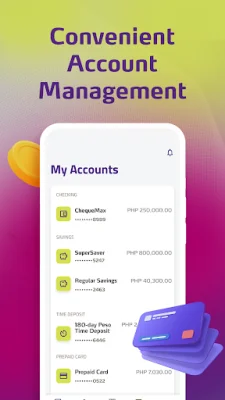
With EasyWay, managing your accounts has never been easier. You can view your balances, transaction history, and quickly access related transactions from your account view. This feature allows you to stay on top of your EastWest deposits and time deposit accounts.
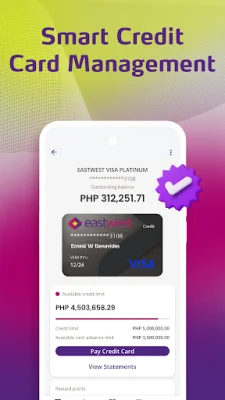
The app also offers smart credit card management tools. You can view and manage your credit card usage, set up auto-charge for recurring bills, convert to installment payments, and even convert to cash. This makes it easier for you to keep track of your credit card expenses and manage them efficiently.
Transferring funds is hassle-free with EasyWay. You can easily move funds to an EastWest or KOMO account for free, or transfer funds to other bank or eWallet accounts via InstaPay using the account number or PESONet. This feature saves you time and effort, making it convenient to manage your finances.
EasyWay also offers a one-stop bills payment feature. You can enroll your billers and pay your bills online, skipping the long lines and hassle of traditional bill payments. This feature allows you to consolidate your bills and pay them anytime you need to.
To ensure the security of your transactions, EasyWay offers a lock/unlock feature for your debit and prepaid cards. You can easily lock and unlock your cards for ATM transactions, online purchases, and store payments, giving you peace of mind and control over your card usage. Download EastWest EasyWay now and enroll today to experience the convenience and security of mobile banking.
Rate the App













Popular Apps









