

File Manager
1.2.3 by Ekia (0 Reviews) July 29, 2024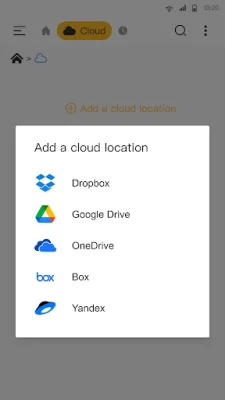
Latest Version
1.2.3
July 29, 2024
Ekia
Tools
Android
0
Free
com.ekia.files.manager
Report a Problem
More About File Manager
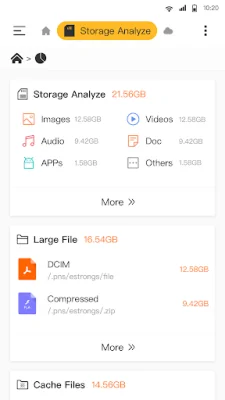
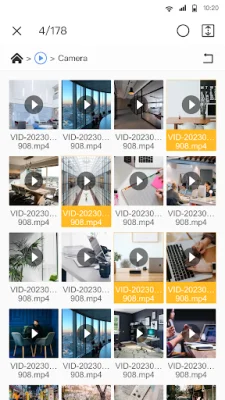
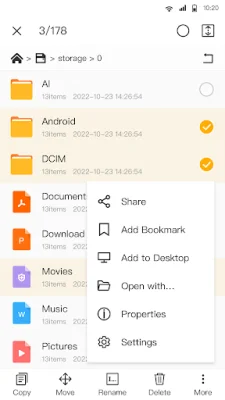
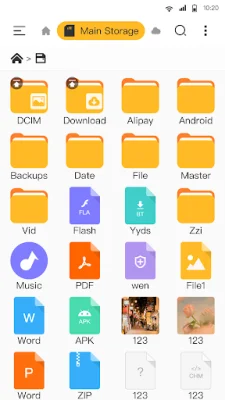
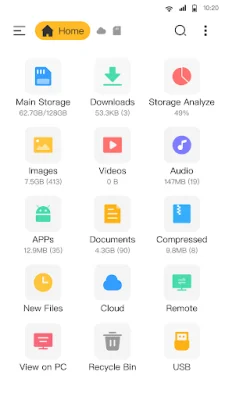
Manage Files All in One is a comprehensive application that allows users to easily manage all types of files on their mobile devices. It supports a wide range of file management actions, including opening, searching, navigating directories, copying and pasting, cutting, deleting, renaming, compressing, decompressing, transferring, downloading, bookmarking, and organizing. This means that users can easily handle all their files, regardless of their format, whether it be media files or APKs. One of the key features of this application is its support for all file formats. This includes new files, downloads, videos, audios, images, apps, documents, and archives. Users can also quickly check both internal and external storage, including SD cards and USB OTG. Additionally, the app allows users to access their cloud storage and remote/shared storage, such as NAS and FTP servers. Popular cloud storage options, such as Google Drive, OneDrive, Dropbox, Box, and Yandex, are all supported. Users can also access their Android device storage from their PC using FTP. File Manager - File Explorer also offers a range of useful tools to enhance the user experience. These include a music player, image viewer, video player, and file extractor. The app also has a recycle bin feature, allowing users to restore any accidentally deleted files. Users can also view and delete large files to free up space on their device. Additionally, the app has an app management feature, allowing users to check and remove any unused apps. This file manager tool is designed to be easy to use, with a user-friendly interface. It offers all the basic features that users would expect from a file manager, as well as some extra features that make it stand out. Users can easily find and manage all their files, apps, videos, and photos downloaded on their device. The app also has a search function, making it easy to find specific files. To experience all the features of File Manager - File Explorer, users will need to grant some permissions, such as android.permission.WRITE_EXTERNAL_STORAGE. However, the app assures users that these permissions are only used for file management purposes and will not harm their device. Overall, File Manager - File Explorer is a useful and efficient tool for managing files on mobile devices.
Rate the App















Popular Apps









