

Flash Tap: Auto Clicker
3.2.0 by SFun (0 Reviews) September 16, 2024


Latest Version
3.2.0
September 16, 2024
SFun
Tools
Android
0
Free
com.shanzhi.clicker
Report a Problem
More About Flash Tap: Auto Clicker
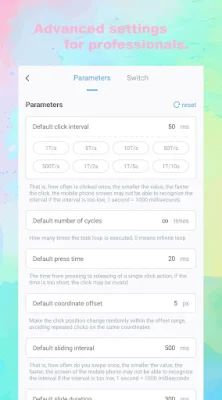
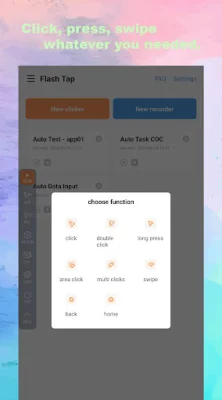
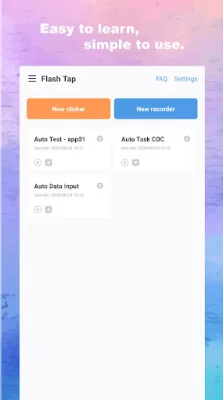
Flash Tap is an advanced click automation tool that allows users to set multiple click points on their screen, automate swipes, and adjust click intervals for rapid or slower tapping. It also features a global timer for routine task automation and a floating control panel for easy start and stop of the auto clicker. The app has a simple and intuitive interface and does not require root access, ensuring the security of the user's device.
Flash Tap has various use cases, including gaming automation, routine task automation, and social media automation. It can give users an edge in click-based games, automate repetitive tasks like refreshing web pages or filling out forms, and enhance their social media experience by automating likes, shares, and follows.
There are several reasons to choose Flash Tap as your go-to auto clicker app. It is user-friendly, highly customizable, and offers reliable performance with minimal resource usage.
However, please note that Flash Tap requires "Accessibility" permission and uses the AccessibilityService API to perform simulated clicks and drags. Users will need to grant this permission after installing the app, and while they can deny it, the app may not function properly. The app does not collect or store personal data, but users should be aware of potential risks before opting in.
Download Flash Tap today and revolutionize the way you interact with your Android device. Automate tasks, save time, and enhance productivity with ease using this ultimate auto clicker app.
Rate the App















Popular Apps









