

Floating Assistant
2.0.2 by System monitor tools lab - Cpu Ram Battery (0 Reviews) September 26, 2024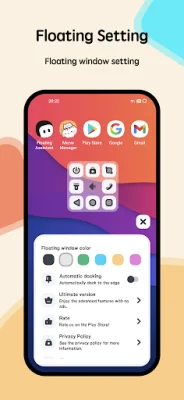
Latest Version
2.0.2
September 26, 2024
System monitor tools lab - Cpu Ram Battery
Tools
Android
0
Free
com.glgjing.floating.apps.assistive.touch
Report a Problem
More About Floating Assistant
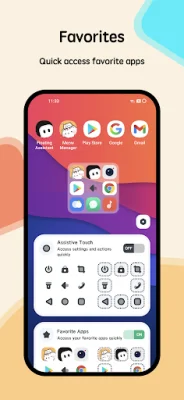
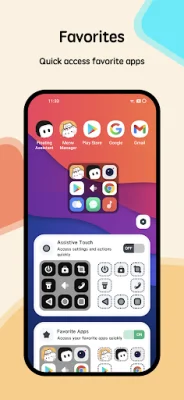
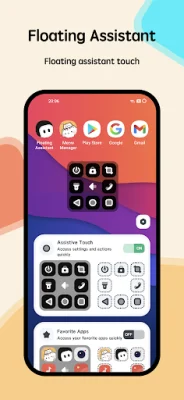
Assistive Touch is a helpful tool designed for Android devices that allows for easy navigation and control of your smartphone. It features a floating window that stays on your screen, providing quick access to your favorite apps, games, settings, and quick toggles. This app is especially useful for those with big screen smartphones, as it can protect the physical buttons and make it easier to use the device.
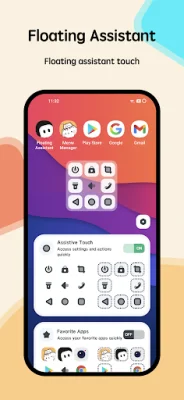
The app offers virtual buttons for common functions such as the home, back, and recent buttons, as well as a virtual volume button that allows for quick adjustments and changing sound modes. It also has the ability to lock your screen and make phone calls with just one tap. Additionally, you can use it to take screenshots, turn on the flashlight, adjust screen rotation, and control auto brightness.
To use Assistive Touch, simply open the Floating Assistant app and grant permission for it to draw/display over other apps. You will also need to give it accessibility permission. From there, you can customize your necessary shortcuts, quick ball appearance, and actions to suit your needs. This will allow for fast access to all settings and quick control of your device.
It's important to note that this app uses Accessibility services for certain functions, such as locking the screen, going to the home screen, and taking screenshots. It also requires access to the camera in order to turn on the flashlight, but it does not take photos. The app does not collect any data or take actions that users do not initiate. It also does not disclose any personal or sensitive user data related to financial or payment activities, government identification numbers, photos, or contacts.
Thank you for your support and we strive to provide original and SEO-oriented content for our users. With Assistive Touch, you can easily navigate and control your Android device with just a few taps, making your smartphone experience more convenient and efficient.
Rate the App















Popular Apps









