
4g lte only mode: Wifi tools
1.39 by Appy Creators (0 Reviews) April 26, 2026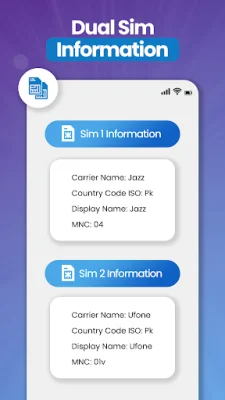
Latest Version
1.39
April 26, 2026
Appy Creators
Tools
Android
0
Free
fourg.fiveg.ltemode.speed.test.tools.wifi
Report a Problem
More About 4g lte only mode: Wifi tools
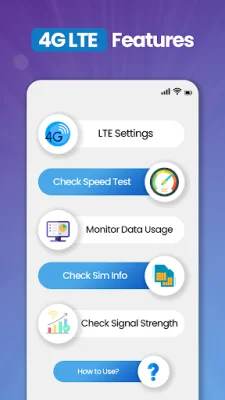
Are you tired of dealing with poor network connections and slow internet speeds? Look no further than the 4G LTE Network app! This powerful tool allows you to take control of your mobile network and WiFi connections, ensuring a stable signal, fast speeds, and detailed insights into your data usage.
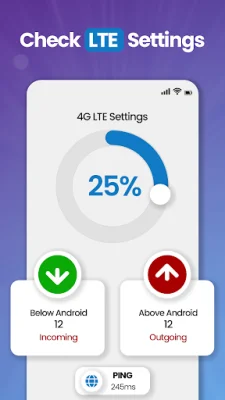
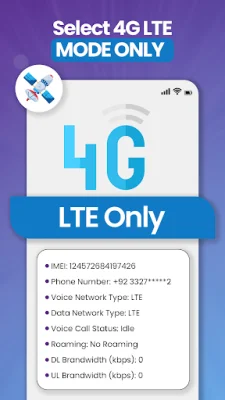
One of the key features of this app is the ability to switch your network to 4G-only mode. This ensures that your device stays connected to the fastest available connection, even in areas with weak network coverage. Say goodbye to signal fluctuations and hello to a stable and faster internet experience.
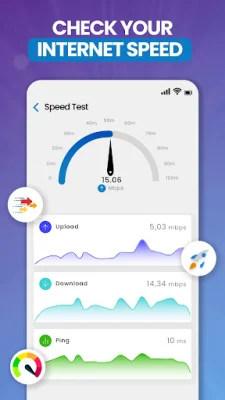
With the built-in internet speed test tool, you can easily check if your connection is up to par. This feature provides accurate results for your download and upload speeds, as well as ping times.
Stay informed about your signal quality with the network signal strength monitor. This feature allows you to check the strength of your 4G, 3G, or 2G signal in real-time, ensuring that you are always connected to the best possible network.
Get detailed information about your phone and SIM card with the SIM & device information feature. From your IMEI number to network type and SIM card details, this app provides all the essential data in one convenient place.
Worried about going over your data limit? The data usage tracking feature helps you keep track of your daily, weekly, and monthly data usage. With the 4G Finder, you can optimize your data plan and avoid running out of data when you need it most.
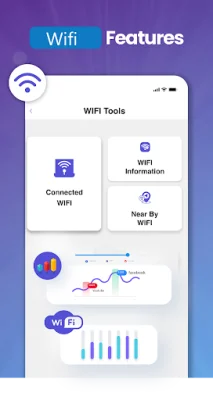
Need to find a reliable WiFi connection? The WiFi scanner feature helps you discover nearby networks and connect to the best available option. You can also check how many devices are connected to your WiFi network and get detailed information about your connection, including your IP address and network speed.
Disclaimer: While we strive for accuracy, certain features may depend on your device, carrier, and region. We are continuously working to improve accuracy for an even better experience. Please note that if you are on LTE mode, you may not receive calls. So, try to be original and SEO-oriented with your usage of this feature.
Rate the App















Popular Apps









