

WiFi FTP & HTTP Server
by oraDevs (0 Reviews) April 26, 2026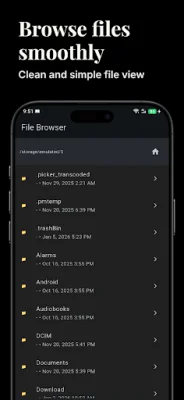
Latest Version
April 26, 2026
oraDevs
Tools
Android
0
Free
com.oradevs.wifi_http_ftp_server_free
Report a Problem
More About WiFi FTP & HTTP Server
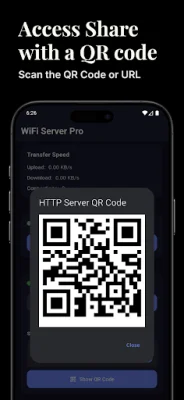
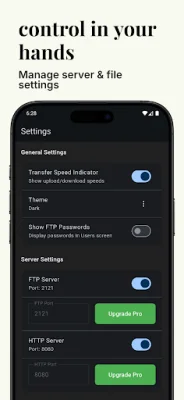
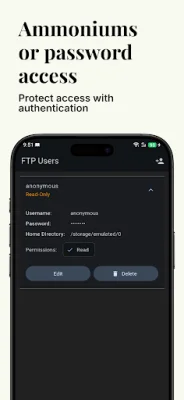
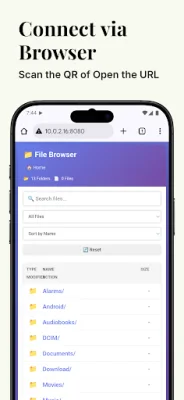
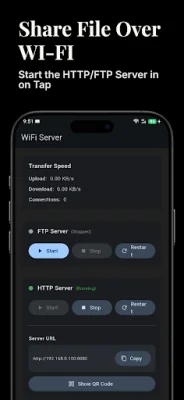
WiFi FTP &HTTP Server is an application that allows you to share files with others on your WiFi network. It can turn your Android device into a FTP and HTTP file server, making it easy to share any folder from your device instantly. The app offers complete privacy and security, as all files remain on your device and are not uploaded to the cloud. It also has high performance capabilities, with fast file transfers and low bandwidth usage. The app has a flexible connectivity feature, allowing for local WiFi sharing within your network and a responsive web interface that works on any device. It also has a smart background operation, with a persistent notification showing server status and the ability to run in the foreground even when the screen is off. To use the app, you simply need to open it and grant necessary storage permissions. Then, you can choose between FTP, HTTP, or both server types and tap "Start Servers" to begin sharing. You can access your files from FTP clients by entering your device's IP address and port and logging in with configured credentials. You can also access your files from web browsers by entering http://[YOUR_IP]:[PORT]. The app is perfect for quick file transfers without cables, sharing large files instantly, team collaboration and file exchange, backing up files to your device, and more. The app requires storage access to read and share files from your device, internet access to serve files over WiFi, notifications to show server status and alerts, and a foreground service to keep servers running in the background. Your privacy is a top priority for the app, with 100% of your data staying on your device and no cloud uploads or remote storage. The app also does not track or collect personal data and is transparent about the permissions it uses. If you have any issues or questions about setup, you can contact the app's support team or visit their website. Your feedback is also important for improving the app, so you can rate and review it, report bugs or feature requests, share how you're using it, and suggest improvements. Overall, WiFi FTP &HTTP Server is a convenient and secure way to share files with others on your WiFi network.
Rate the App















Popular Apps









