

FS File Explorer
5.1.2 by IO/Apps (0 Reviews) December 06, 2025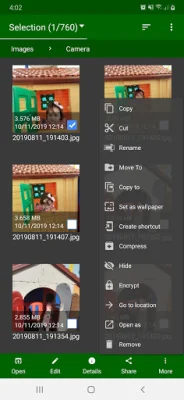
Latest Version
5.1.2
December 06, 2025
IO/Apps
Tools
Android
0
Free
com.ioapps.fsexplorer
Report a Problem
More About FS File Explorer
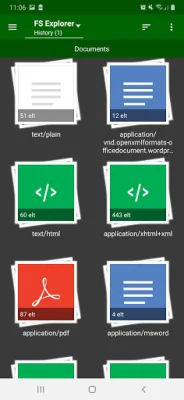
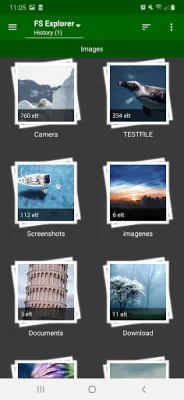
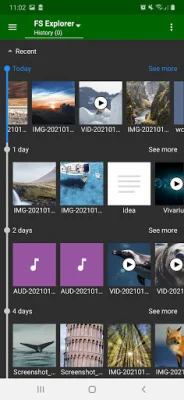
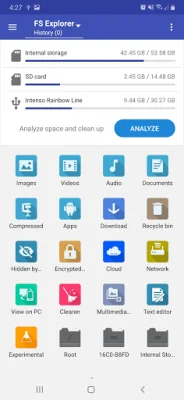
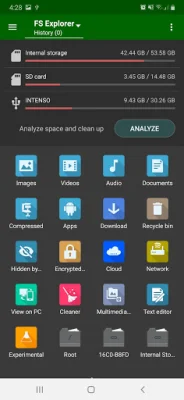
FS File Explorer is a versatile file management application for Android devices that offers a wide range of features to help users organize and share their files. Whether you are starting from the main screen or launching from another application, FS File Explorer acts as a powerful file manager that allows you to easily access and manage all types of files on your device. This eliminates the need for other applications to have their own file selection utility, making it a convenient and efficient tool for users.
One of the main features of FS File Explorer is its ability to manage files and folders on both internal and external storage, including SD cards and USB OTG devices. This means that users can easily access and organize all their files in one place, without having to switch between different applications. Additionally, FS File Explorer offers a One Drive client for managing files in the cloud, as well as FTP server and client options for browsing and managing files on remote devices.
Aside from its file management capabilities, FS File Explorer also offers a variety of tools for users to optimize and maintain their device's storage. This includes a recycle bin for restoring deleted files, a multimedia storage repairman for syncing and repairing media storage, and an analysis feature that helps identify and clean up unnecessary files and folders. Users can also edit images, play GIFs, and even set images as wallpaper directly from the app.
With its user-friendly interface and 12 different themes to choose from, FS File Explorer makes file management a breeze for Android users. It also offers additional features such as text editing, creating shortcuts on the home screen, and encrypting and decrypting files for added security. Whether you need to organize your files, share them with others, or simply free up space on your device, FS File Explorer is a reliable and efficient tool to have. So why not give it a try and see for yourself how it can simplify your file management tasks? Thank you for choosing FS File Explorer, and we hope you enjoy using it!
Rate the App















Popular Apps









