

FTP Tool - Fast FTP Server
1.4.8 by Lites App (0 Reviews) August 15, 2024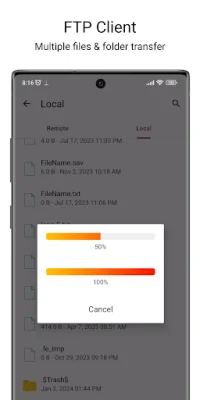

Latest Version
1.4.8
August 15, 2024
Lites App
Tools
Android
0
Free
com.litesapp.ftp
Report a Problem
More About FTP Tool - Fast FTP Server
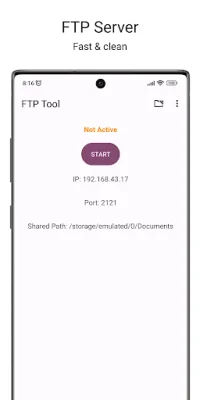
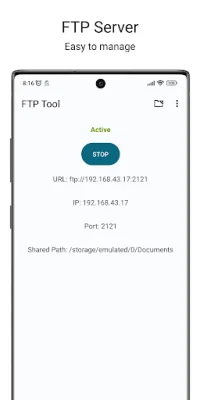
FTP Tool is a convenient and efficient application that allows users to transfer files and folders wirelessly without the need for any extra software, apps, or cables. By simply connecting your phone to your PC via wifi or hotspot, you can easily browse and transfer files between the two devices. The app offers a variety of features to make the file transfer process seamless and customizable. With just one click, users can start or stop the FTP server, and they can also configure the storage path and port number for the server. Additionally, the app supports hotspot static IP and anonymous access, and users can set a home folder and configure a username and password for added security. One of the main advantages of using FTP Tool is that it eliminates the need for USB cables for file transfer. This means that users can easily copy and backup files over a wifi hotspot, making the process faster and more convenient. The app also works over both wifi and wifi tethering mode, providing flexibility for users. In addition to its FTP server capabilities, the app also offers FTP client features, allowing users to upload and download files and folders to cloud and local servers. This feature supports bulk file transfer, background transfers, and unlimited connection profiles. The app also supports FTP and FTPS access, as well as anonymous access. While the basic version of FTP Tool is available for free, there is also a paid version with additional features. Users can download the app from the Google Play Store and provide feedback, bug reports, and feature requests to the developers. The team at FTP Tool is constantly working to improve the app and add more features and supported protocols and connections. Users can also contact the developers directly via email for any inquiries or suggestions.
Rate the App















Popular Apps









