

Handelsbanken UK – Corporate
by Svenska Handelsbanken AB (publ) (0 Reviews) October 31, 2025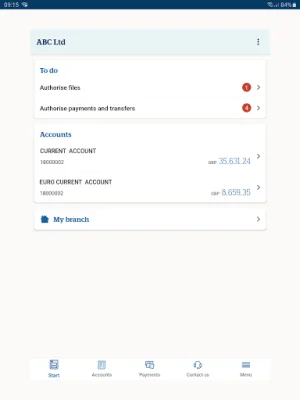

Latest Version
October 31, 2025
Svenska Handelsbanken AB (publ)
Finance
Android
0
Free
com.handelsbanken.mobile.android.ukcorp
Report a Problem
More About Handelsbanken UK – Corporate
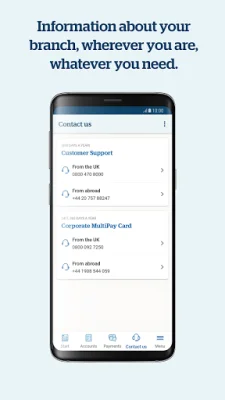
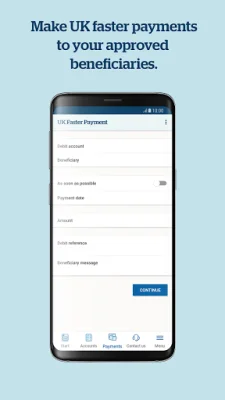
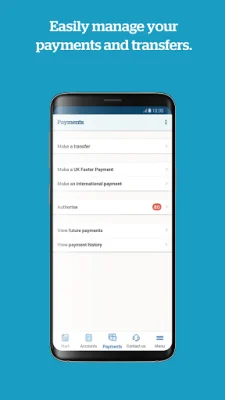
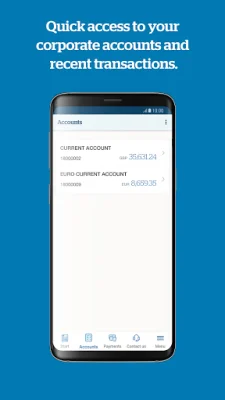
The Handelsbanken UK Corporate Banking App is a convenient and secure way for corporate banking customers to manage their accounts and transactions. With this app, users can easily view their account balances and transactions, transfer funds between their Handelsbanken accounts, and make local and international payments to existing beneficiaries. They can also authorize payments, files, and transfers, as well as view and delete future payments. Additionally, the app provides contact details for the user's branch.
In order to use the app, users must first register with their branch for the Corporate Banking App. Each user will then need to register for Quick log-on via Corporate Online Banking. If they have already registered for Quick log-on for Individual Online Banking, they can use the same Personal ID and Passcode for the Corporate Banking app.
To register for Quick log-on, users must log on to Corporate Online Banking with their card reader and cable attached. From there, they can click on App log-on details and select Register or change Passcode to choose their Passcode and Personal ID. Once these are chosen, the user can download the Handelsbanken UK – Corporate app from their app store.
Upon downloading the app, users will need to perform a one-off activation using their logon card and card reader. The first time they log in, a pop-up will appear on screen asking them to approve the Terms and Conditions for the mobile banking app.
It's important to note that the app can only be used by Handelsbanken corporate banking customers who are registered for the Corporate Banking app. Individual banking customers can download the Handelsbanken UK – Individual app from the App Store. For any questions or support, users can contact their branch for more information. The Handelsbanken UK Corporate Banking App is a convenient and secure way for corporate banking customers to manage their accounts and transactions.
Rate the App














Popular Apps









