
Hisense TV Screen Mirroring
4.3.1 by Solu-Techs (0 Reviews) December 06, 2025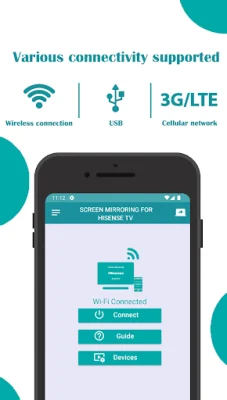
Latest Version
4.3.1
December 06, 2025
Solu-Techs
Tools
Android
0
Free
com.mirror.screen.hisensetv
Report a Problem
More About Hisense TV Screen Mirroring
Hisense Smart View is an app that allows you to easily project your mobile screen onto a larger display, providing a seamless casting experience. With this app, you can cast videos, stream images, play audio, share live content, and project web or local files onto your Hisense TV in just a few simple steps. This app is compatible with any Hisense TV as well as other TV brands that support web browsers, such as Samsung, LG, Panasonic, Philips, Hitachi, Vizio, and TCL.
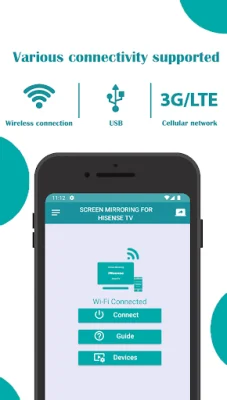
To use screen mirroring with this app, you need to make sure that your Hisense TV and mobile device are connected to the same Wi-Fi network. Then, you can enable Miracast Display on your TV and turn on Wireless Display on your mobile device. After that, simply tap Connect to link your device to the TV and start streaming all types of content on your Hisense Smart TV, including live events like the World Cup in 4K Ultra HD.
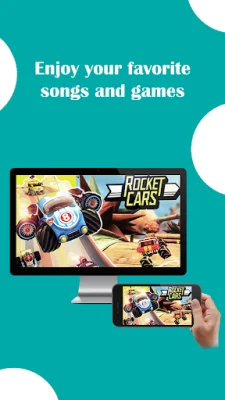
One of the key features of Hisense Smart TV Screen Mirroring is its ability to mirror your mobile screen for streaming videos, sharing photos, and watching movies. You can also use it to stream local or online videos, display photos, play music, and present documents. The app makes it easy to cast your favorite media and files without the need for cables or additional hardware.
Some other notable features of this app include wireless screen mirroring, high-quality streaming in Full HD or 4K Ultra HD, compatibility with a wide range of smart TVs and web browsers, and a user-friendly interface for easy setup and connection. It is also completely free to use, with no hidden charges or in-app purchases.
Screen Mirroring for Hisense TV is a great choice for anyone looking for a smooth and high-quality mirroring experience. It allows you to cast any type of media, including videos, photos, music, and documents, directly to your TV. You can also stream content in real-time, making it perfect for presentations, video calls, and social sharing. The app supports a wide range of smart TVs beyond Hisense, making it a versatile option for all your casting needs.
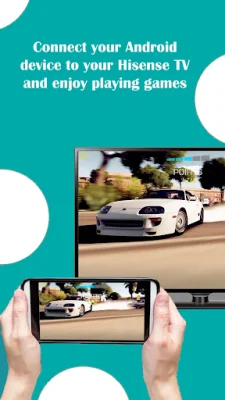
One of the best things about this app is that it works with Wi-Fi networks, ensuring fast and reliable connectivity. You don't need any additional equipment, just use your Wi-Fi connection to mirror your mobile screen. This makes it ideal for various purposes, such as home entertainment, business presentations, gaming, and more.
If you encounter any issues or have any questions, you can contact the app's support team at [email protected]. They are always ready to assist you with any concerns or feedback. Overall, Screen Mirroring for Hisense TV is a must-have app for a hassle-free screen mirroring experience. Install it now and start casting!
Rate the App















Popular Apps









