

HTTP Custom - AIO Tunnel VPN
6.9.20-RC93 by ePro Dev. Team (0 Reviews) November 08, 2025
Latest Version
6.9.20-RC93
November 08, 2025
ePro Dev. Team
Tools
Android
0
Free
xyz.easypro.httpcustom
Report a Problem
More About HTTP Custom - AIO Tunnel VPN
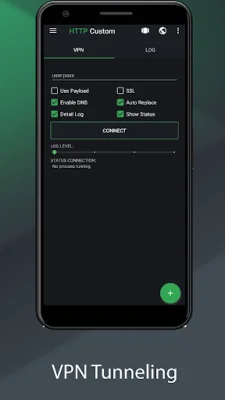
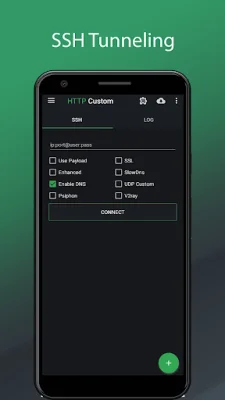
HTTP Custom is an easy-to-use application that allows users to modify requests and access blocked websites behind a firewall. It offers a secure surfing experience using SSH and VPN, with the ability to customize request headers. The app also provides a free VPN server, DNS changer, and the option to share your SSH/VPN connection through hotspot or USB tethering. No root access is needed to use this app, making it accessible to all users.
One of the main reasons to choose HTTP Custom is its user-friendly interface. It offers a free unlimited VPN server without the need for a username, password, registration, or bandwidth limitation. This all-in-one VPN client supports both SSH and VPN, with SNI (Server Name Indication) support. This allows for a more secure and efficient connection.
The app requires certain permissions to function properly. These include access to photos, media, and files, as well as the ability to make and manage phone calls. These permissions are necessary for HTTP Custom to generate a hardware ID and read ISP card information. Additionally, the app may ask for permission to access the device's location, but this is only for devices running on Android 8 (Oreo) or higher.
One of the standout features of HTTP Custom is its ability to share a connection through tethering. To do this, users simply need to start the app until it is connected, then switch on hotspot or USB tethering. The app will display the tethering IP and port server as a proxy, which can then be used by clients to connect to the hotspot. For desktop users, the app recommends using proxifier and setting the proxy type as HTTPS.
In summary, HTTP Custom is a versatile and user-friendly application that offers a secure and customizable browsing experience. With its free VPN server, customizable request headers, and ability to share connections through tethering, this app is a great choice for those looking to access blocked websites and protect their online privacy.
Rate the App















Popular Apps









