

IP Tools - Network Utilities
2.20 by apptech_Infotech (0 Reviews) April 07, 2026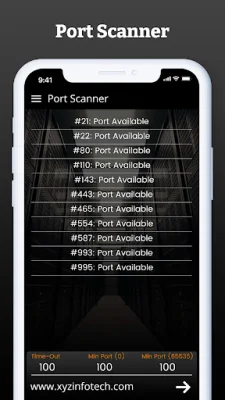
Latest Version
2.20
April 07, 2026
apptech_Infotech
Tools
Android
0
Free
com.appworld.iptools
Report a Problem
More About IP Tools - Network Utilities
IP Tools - Network Utilities is a comprehensive network toolkit that is suitable for both professionals and everyday users. It offers a range of advanced networking utilities that can help monitor, analyze, and optimize internet and WiFi networks. This user-friendly app is designed to assist with troubleshooting connectivity issues and conducting network diagnostics.
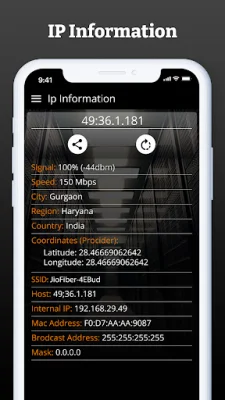
The app includes a variety of features such as identifying your IP address, analyzing network speed, performing ping tests, and scanning connected devices. It also offers real-time internet connectivity checking and an IP location finder that can reveal your ISP, region, city, and coordinates. Additionally, the WiFi Signal Strength Meter allows you to monitor your wireless network signal in real-time.
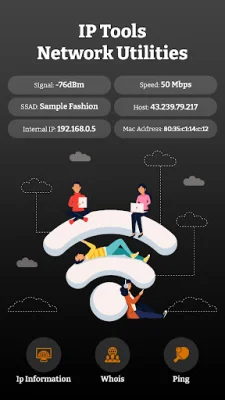
One of the core features of IP Tools is its Network Information & IP Address Tools. This provides you with your public and private IP address, SSID, BSSID, gateway, subnet mask, DNS, DHCP server info, and more. The app also includes a WiFi & LAN Scanner that can detect all connected devices in your WiFi or LAN. It displays the IP address, MAC address, device name, vendor, and manufacturer of each device and can even open discovered hosts in a browser if web ports are open.
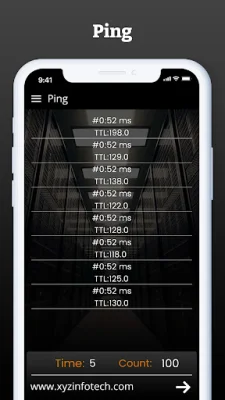
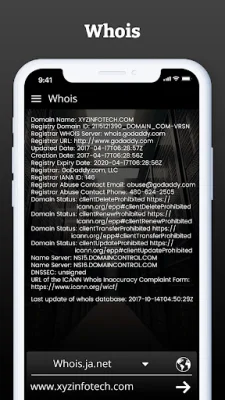
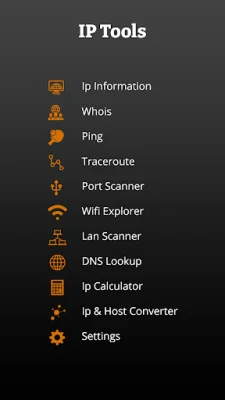
For advanced users, IP Tools offers a range of tools such as Ping & Traceroute for measuring network stability and diagnosing path issues, DNS Lookup & Reverse Lookup for resolving domain names and IPs, and Whois Lookup for revealing domain ownership and server data. It also includes a Port Scanner for discovering open ports and services across devices, a Subnet Scanner & IP Range Scan for quickly scanning LAN or WAN IP ranges, and WOL (Wake on LAN) for remotely powering on devices.
IP Tools is a lightweight yet powerful network utility that is suitable for IT experts, network admins, gamers, and anyone who cares about internet speed and WiFi quality. It can help troubleshoot slow WiFi, monitor networks, and find security flaws quickly. It is also an essential toolkit for remote tech support, system administrators, and cybersecurity professionals.
In addition to its current features, IP Tools has plans to add a Network Speed Test in the future. This will allow users to measure download, upload, and latency speeds. The app is constantly improving based on user feedback and suggestions, making it a valuable tool for anyone looking to check who's connected to their WiFi, find their IP address, detect network intruders, scan their local network for devices, or ping a server from their phone.
Rate the App















Popular Apps









