

Ivanti Secure Access Client
22.7.3.10 by Pulse Secure (0 Reviews) July 26, 2024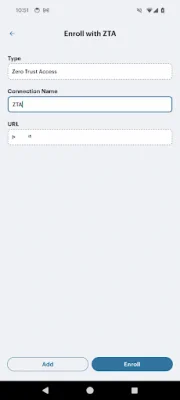
Latest Version
22.7.3.10
July 26, 2024
Pulse Secure
Tools
Android
0
Free
net.pulsesecure.pulsesecure
Report a Problem
More About Ivanti Secure Access Client
Ivanti recommends using their Secure Access Client, previously known as Pulse Mobile Client, through MDM solutions for better management. This allows administrators to have more control over the clients deployed on endpoints. Before upgrading endpoints, administrators can test the latest releases of the Secure Access Client to ensure there are no issues specific to their environment.
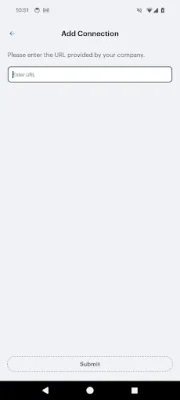
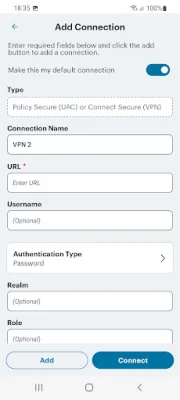
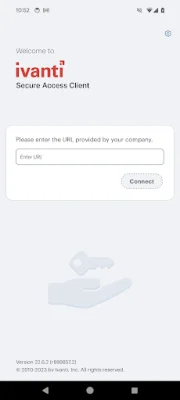
The Secure Access Client for Android allows users to easily use their personal devices for work. It is an all-in-one client that securely connects the device to work and provides a separate workspace for work-related tasks.
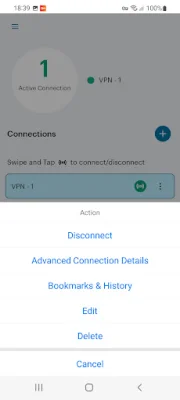
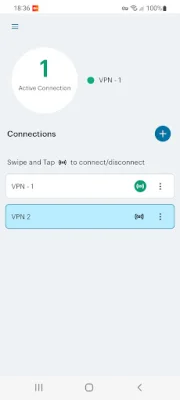
With just the touch of a button, the Secure Access Client for Android allows users to connect to their corporate VPN, providing secure access to information stored on corporate servers or in the cloud.
The integrated Workspace feature of the Secure Access Client for Android allows users to use the latest business apps for email, collaboration, and productivity. This keeps corporate apps and data separate from personal apps and information, ensuring privacy and allowing employers to only wipe the Workspace.
Before using the Secure Access Client for Android, users should check with their IT team to ensure that their VPN is compatible. Some key features of the client include secure access to web-based applications and enterprise networks, privacy controls to protect personal information, and encryption of all stored information. For Workspace customers, the client uses certain permissions to allow administrators to provision and control enterprise applications on the device. The application also has a privacy policy and end-user license agreement for users to review. Support and documentation for the Secure Access Client for Android can be found on the Ivanti website.
Rate the App















Popular Apps









