

KeyNavigator
4.3.2 by KeyBank, N.A. (0 Reviews) September 16, 2024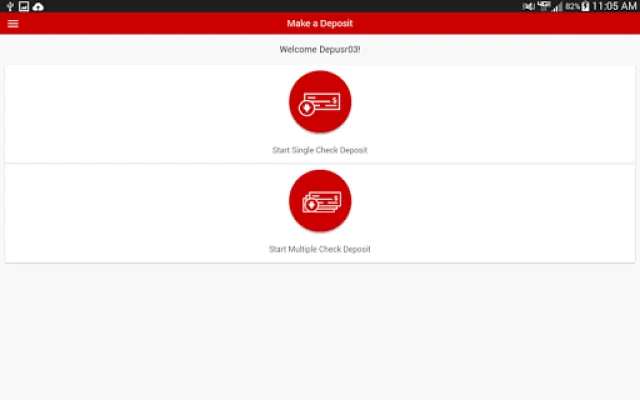
Latest Version
4.3.2
September 16, 2024
KeyBank, N.A.
Finance
Android
0
Free
com.keycorp.kmf
Report a Problem
More About KeyNavigator
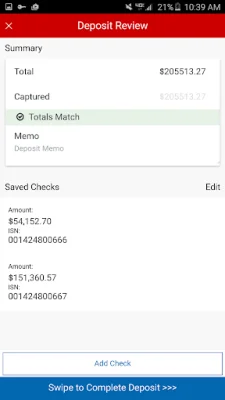
This app is designed to provide clients with a convenient and secure way to manage their remote deposits. With this app, clients can easily review and approve all remote deposits made by users, giving them additional control and security over their transactions.
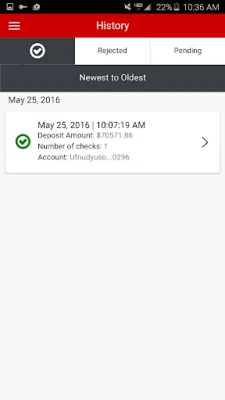
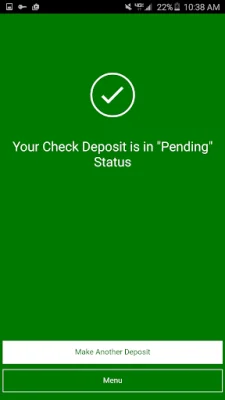
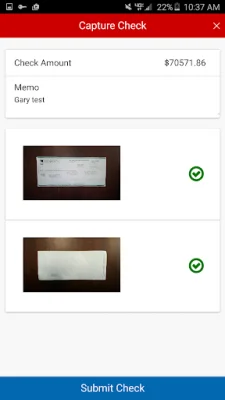
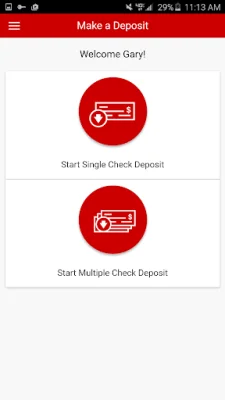
The app offers several features to make the deposit process easier and more efficient. Users can deposit checks directly from their mobile devices, eliminating the need to physically go to a bank or ATM. They can also access their deposit transaction history for the last 30 days, allowing them to keep track of their deposits and account activity. Additionally, clients can review deposits made by other users within their company, providing a comprehensive view of all deposit activity.
One of the key benefits of this app is its emphasis on safety and security. To log in, users must have a KeyNavigator User ID and password, ensuring that only authorized individuals have access to the app. For added security, users can also set up their device's biometrics to securely sign into the app. It is also important to note that users must be enrolled in both KeyNavigator and Key Capture to use the app, further enhancing the security measures in place.
If users have any questions or need assistance with the app, they can easily contact customer support by calling 1-888-539-9039. For those who are deaf or hard of hearing, a TDD/TTY device is available for support at 1-800-539-8336. It is also worth mentioning that the app is currently only available for Android devices running OS 9.0 or higher, and fees may apply based on the user's account type.
In summary, KeyNavigator Mobile Deposit by KeyBank is a user-friendly and secure app that allows clients to easily manage their remote deposits. With its convenient features and emphasis on safety, this app is a valuable tool for individuals and businesses alike.
Rate the App














Popular Apps









