
KidsGuard for Chat App
2.7.1 by CLEVERGUARD TECHNOLOGY CO.,LIMITED (0 Reviews) November 08, 2025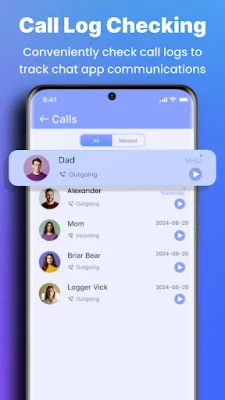
Latest Version
2.7.1
November 08, 2025
CLEVERGUARD TECHNOLOGY CO.,LIMITED
Tools
Android
0
Free
com.clevguard.kidsguardforwa
Report a Problem
More About KidsGuard for Chat App
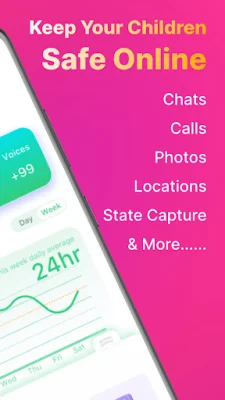
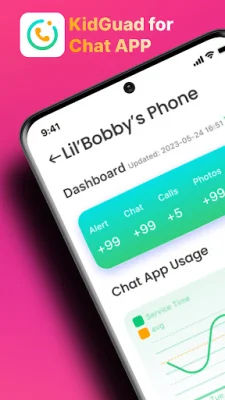
Are you worried about your child's safety while using Chat App? Look no further! KidsGuard for Chat App is the perfect solution for monitoring and protecting your loved one's online activity. It's an all-in-one monitoring tool designed to ensure your child's safety and prevent any leakage of sensitive information. With KidsGuard, you can have peace of mind knowing that your child is safe while using Chat App.
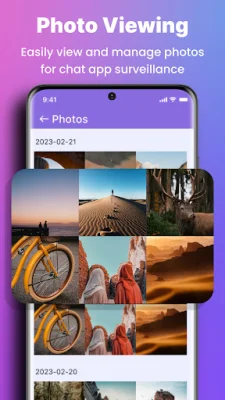
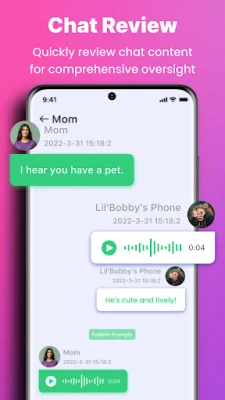
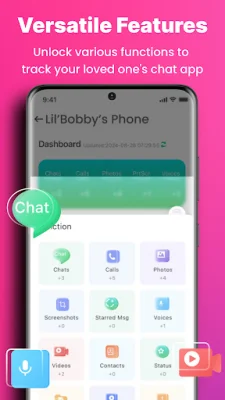
The main features of KidsGuard for Chat App include monitoring your child's chat history, recording Chat App calls, and tracking their last seen and online status. You can also capture view once images, explore media messages, and even spy on deleted messages. With KidsGuard, you can watch Chat App videos and listen to voice messages without raising suspicion. You can also manage Chat App documents and recover previously deleted files.
Why choose KidsGuard for Chat App? This monitoring tool allows you to read other Chat App chats and activities, spy on chat, status, voice, call history, pictures, and more. You can also export Chat App contacts to Excel and read encrypted messages without a key. KidsGuard is compatible with Chat App, Chat App Business, and Chat App Plus.
Getting started with KidsGuard is simple and easy. First, choose and purchase a Chat App tracking plan. Then, install the KidsGuard spy tool on the target device and follow the instructions to log in. Once set up, you can start tracking Chat App messages and activities from the target account.
ClevGuard, the developer of KidsGuard for Chat App, is a global leader in application software development with offices worldwide. Their top software, including KidsGuard Pro-Phone Monitoring and ClevGuard-AntiSpyware, is used in over 150 countries with more than one million monthly active users.
If you think KidsGuard for Chat App is the perfect monitoring tool, don't hesitate to share it with your friends. Please note that KidsGuard is an independent app of ClevGuard and has no relationship with Meta or Chat App. If you have any questions or need technical support, you can contact the KidsGuard team via email. For more information, visit their website or read their privacy policy and end-user license agreement. Protect your child's online safety with KidsGuard for Chat App.
Rate the App














Popular Apps









