

Lemur Browser - extensions
2.7.0.032 by STARLAB.QLY TECHNOLOGY CO., LIMITED (0 Reviews) September 16, 2024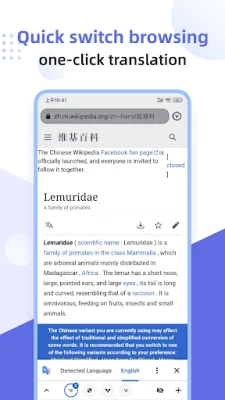
Latest Version
2.7.0.032
September 16, 2024
STARLAB.QLY TECHNOLOGY CO., LIMITED
Tools
Android
0
Free
com.lemurbrowser.exts
Report a Problem
More About Lemur Browser - extensions
Lemur Browser is a new and innovative web browser that offers users a pure and personalized browsing experience. It is built on a high-speed Chromium kernel engine and offers a variety of extensions that allow users to customize their browser according to their preferences. With Lemur Browser, users can easily browse information, read news, watch videos, and listen to music. It is based on the same Blink rendering engine and V8 engine used by Google Chrome, making it easy for users to adapt to this new browser.
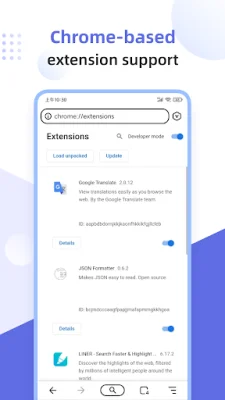
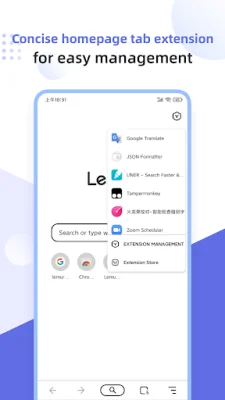
One of the key features of Lemur Browser is its support for extensions. It offers a wide range of extensions such as Tampermonkey, Clean Master, Google Translation, Grammar Checker, Adguard Adblocker, Adblock, Dark Reader, Bitwarden, Global Speed, and more. These extensions can be easily accessed through the browser's extension store, which supports both Chrome Web Store and Microsoft Edge Development.
In addition to supporting external extensions, Lemur Browser also has its own extension management system. This allows users to easily uninstall or stop using extensions as needed. The browser also supports local extensions, allowing users to import crx extensions from their local devices.
Lemur Browser also offers a convenient search engine management feature. While Baidu is the default search engine, users can quickly switch to other popular search engines such as Google, Sougou, Shenma, Being, 360haosou, Yandex, and DuckDuckGo. They can also customize their own search engine for a more personalized browsing experience.
The browser also offers a variety of high-definition wallpapers for users to choose from, including categories such as ocean, landscape, animals, anime, and sports. These wallpapers are sourced from Unsplash and users can also upload their own custom wallpapers. The homepage can also be customized with icons from a built-in library or by adding custom icons.
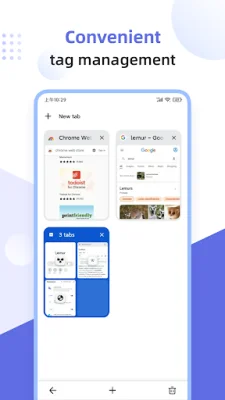
Lemur Browser also offers a QR code scanning function, allowing users to import and recognize local QR codes, generate QR codes for any webpage, and share them with others. The browser also has a convenient tag management system, allowing users to organize their icons into groups for a clearer homepage.
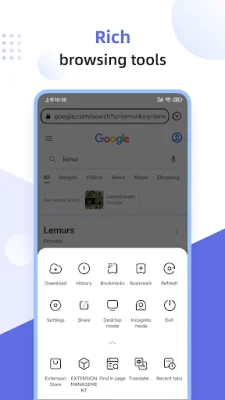
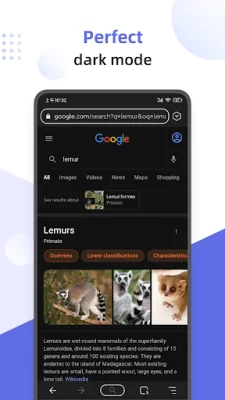
Other notable features of Lemur Browser include a nearly perfect dark mode for ultimate darkness, a privacy mode that turns the browser into a private one with just one click, and the option to give feedback and discuss any issues or needs in the Rabbit Nest community. Users can also visit the official website for more information about Lemur Browser. Thank you for choosing Lemur Browser for your browsing needs.
Rate the App















Popular Apps









