
LG gram Link
4.0.02 by LG Electronics, Inc. (0 Reviews) April 17, 2026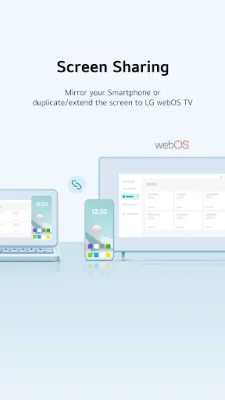
Latest Version
4.0.02
April 17, 2026
LG Electronics, Inc.
Tools
Android
0
Free
com.lge.photosync
Report a Problem
More About LG gram Link
LG gram Link is a convenient application that allows LG PC users to connect their devices with any Smartphone, regardless of the operating system. With this app, you can easily transfer files, mirror your Smartphone, use it as a secondary monitor, and more. To use LG gram Link on your gram PC, you must first download and run the app on your Smartphone.
One of the key features of LG gram Link is its easy connection process. By simply scanning a QR code, you can quickly connect your LG PC with your Smartphone. This eliminates the need for complicated setup processes and makes it easy for anyone to use.
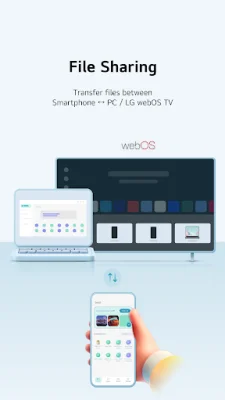
The app also allows for seamless file transfer between your Smartphone and LG webOS TV. You can easily send photos, videos, and other files from your Smartphone to your PC or TV. Additionally, you can import files and photos from your PC to your Smartphone, making it easy to access the data you need for work or personal use.
LG gram Link also offers AI classification, which automatically organizes your photos by date, person, location, and more. This makes it easy to manage and search through your photos, saving you time and effort.
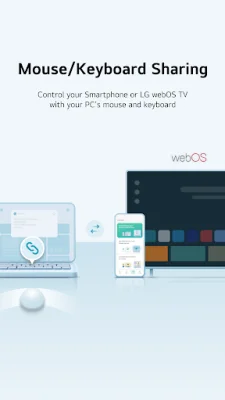
The app also offers screen mirroring, allowing you to cast your Smartphone screen onto your PC. You can also use your Smartphone or LG webOS TV as a second screen, making it easier to multitask and be more productive. Plus, with keyboard and mouse sharing, you can control your Smartphone or TV using your PC's keyboard and mouse.
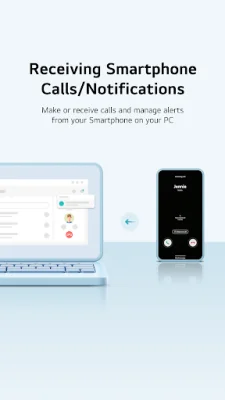
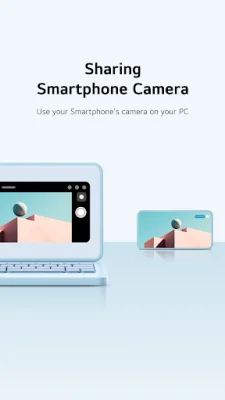
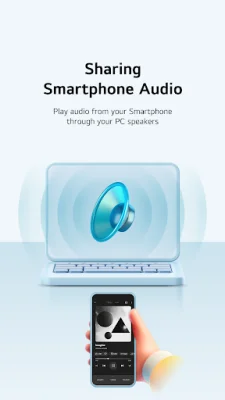
Other useful features of LG gram Link include the ability to use your Smartphone's camera on your PC for video conferencing or photography, sharing Smartphone audio through your PC speakers for enhanced sound quality, and making or receiving calls directly on your PC. You can also view Smartphone notifications on your PC, making it easier to stay updated and manage your notifications without switching devices.
LG gram Link requires certain access permissions to function properly, such as location, camera, files, microphone, and notification access. These permissions are necessary for tasks such as connecting to a PC, scanning QR codes, transferring files, and receiving notifications. Overall, LG gram Link is a versatile and user-friendly application that enhances the connectivity and productivity of LG PC users.
Rate the App







Popular Apps









