

Lock Screen-Turn off screen
7.9.5 by IDOAI (0 Reviews) November 04, 2025
Latest Version
7.9.5
November 04, 2025
IDOAI
Tools
Android
0
Free
com.iodkols.onekeylockscreen
Report a Problem
More About Lock Screen-Turn off screen
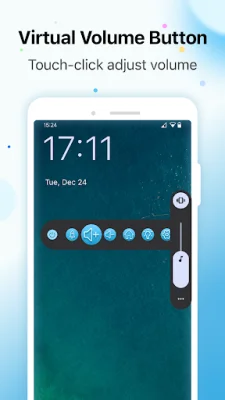
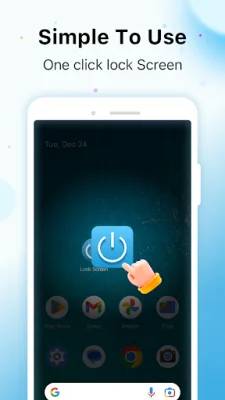
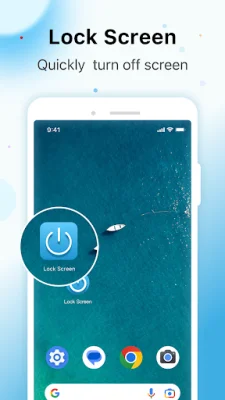
Introducing Lock Screen, the ultimate screen lock app that allows you to effortlessly lock your phone and protect your privacy. With just one touch, you can turn off your screen and lock it, reducing wear and tear on your power button and extending its lifespan. This app also offers the convenient feature of adjusting your phone's volume, reducing wear and tear on the volume button and extending its life. Even if your volume button is damaged, you can still use this app to adjust the volume.
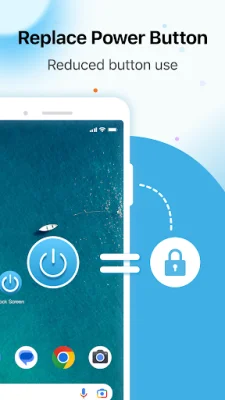
Some key features of Lock Screen include the one touch lock screen, which allows you to quickly and easily lock your screen with just a single tap. This not only saves time, but also reduces strain on your power button. The app also has a power button saver feature, which helps prolong the life of your power button by using the lock screen instead. Additionally, the app has a volume adjustment function that replaces the function of your phone's volume button, reducing wear and tear on the button and allowing you to adjust the volume even if the button is damaged.
Lock Screen also has a simple cleanup and power saving function, which closes inactive apps running on the lock screen to save power. This app also offers enhanced security by protecting your personal information and privacy with its one touch lock screen feature. Despite its many features, Lock Screen is lightweight and efficient, ensuring minimal impact on your phone's performance. Its user-friendly interface allows for easy navigation without any complex settings or configurations.
Some benefits of using Lock Screen include effortless screen locking with just one tap, saving time and hassle. The app also helps extend the life of your power button, reducing wear and tear and ensuring it lasts longer. Its volume adjustment feature is efficient and concise, reducing wear and tear on the volume keys. Additionally, Lock Screen offers enhanced privacy protection by easily locking your screen with a single touch. Overall, this app provides convenience and efficiency with its one touch lock screen feature.
Please note that if you are unable to uninstall this app, you can disable it by going to "Settings → Privacy → Device Administrator" and finding "Lock Screen". This app uses device administrator privileges to implement the screen locking function using the Accessibility API, allowing for personalized screen locking methods.
Whether you want a quick and easy way to lock your screen or want to extend the life of your power button, Lock Screen is the perfect solution. Download now and experience the convenience and security of effortless screen lock!
Rate the App












Popular Apps









