

M-PESA Safaricom Ethiopia
1.12.0 by Safaricom Telecommunications Company Ethiopia PLC (0 Reviews) November 01, 2024


Latest Version
1.12.0
November 01, 2024
Safaricom Telecommunications Company Ethiopia PLC
Finance
Android
0
Free
et.safaricom.mpesa.lifestyle
Report a Problem
More About M-PESA Safaricom Ethiopia
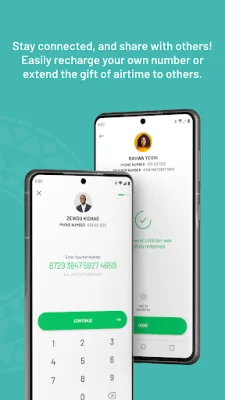
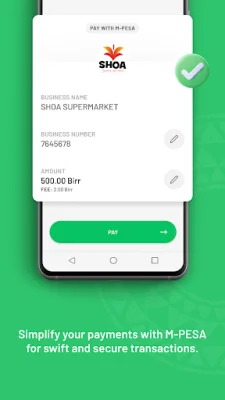
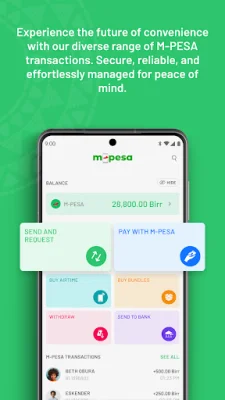
The M-PESA app is a convenient and user-friendly mobile application that allows users to access all core M-PESA transactions with ease. This includes sending money, paying merchants and bills, withdrawing cash at agents or ATMs, and buying airtime. The app provides a simplified experience for users, making it easier to manage their M-PESA transactions.
In addition to M-PESA transactions, the app also allows users to manage their Safaricom account. This includes checking airtime, voice, and internet balances, monitoring consumption, topping up, purchasing bundles, and getting PUK codes. With the app, users can easily keep track of their Safaricom account and make necessary adjustments.
One of the unique features of the M-PESA app is its offline mode. Users can log in and transact on the app without an active data connection. This means that the app can be used even without data bundles or with data turned off completely, providing convenience and accessibility to users.
The app also offers a statement feature, allowing users to review, interact, and take action on their M-PESA transactions. Users can also filter, download, and export their M-PESA statement in PDF form for easy record-keeping and tracking.
Other useful features of the M-PESA app include the ability to download and share e-receipts for transactions, track M-PESA spend per month with aggregate and daily average spend, and use biometric authentication for logging in and transacting. The app also allows users to initiate transactions by scanning QR codes and provides a list of frequently used contacts and businesses for easy payment.
Lastly, the app allows users to personalize their profile by adding a profile picture. This can be taken or uploaded by the user and will be visible to others when transacting. The app also encourages users to be original and SEO-oriented when choosing their profile picture. Overall, the M-PESA app offers a comprehensive and convenient way for users to manage their M-PESA and Safaricom transactions.
Rate the App














Popular Apps









