
MacroDroid - Device Automation
by ArloSoft (0 Reviews) July 25, 2024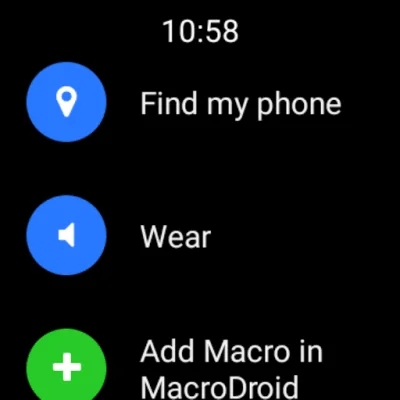
Latest Version
July 25, 2024
ArloSoft
Tools
Android
0
Free
com.arlosoft.macrodroid
Report a Problem
More About MacroDroid - Device Automation
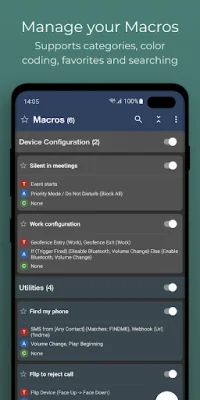
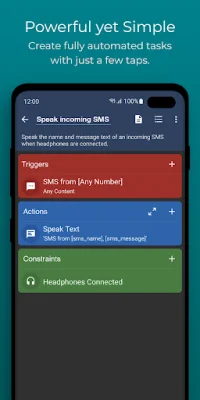
MacroDroid is an application that can help you automate various tasks on your Android device. It offers a wide range of triggers, actions, and constraints that you can customize to fit your specific needs. With only three simple steps, you can create macros that will make your daily life easier and more efficient.
The first step is to select a trigger, which is the cue for the macro to start. MacroDroid offers over 70 triggers, including location-based triggers, device status triggers, sensor triggers, and connectivity triggers. You can also create a shortcut on your device's homescreen or use the customizable MacroDroid sidebar.
The second step is to select the actions you want to automate. MacroDroid can perform over 100 different actions, such as connecting to Bluetooth or WiFi devices, adjusting volume levels, speaking text, starting timers, and more. It can even integrate with Tasker and Locale plugins for even more possibilities.
The third step is to configure constraints, which allow you to specify when the macro should be invoked. For example, you can set a constraint to only connect to your company's WiFi during work days. MacroDroid offers over 50 constraint types to choose from.
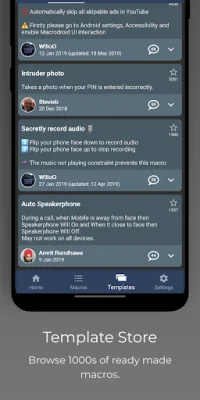
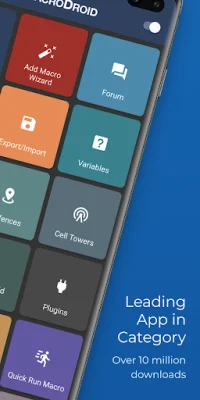
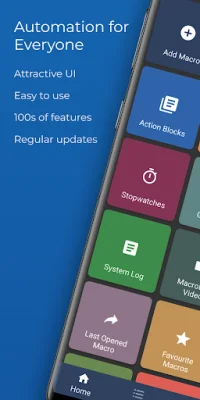
MacroDroid is suitable for both beginners and more experienced users. For beginners, there is a Wizard that guides you through the process of creating your first macros. You can also use existing templates and customize them to your needs. For more experienced users, MacroDroid offers advanced features like Tasker and Locale plugins, system/user-defined variables, scripts, and advanced logic.
The free version of MacroDroid is ad-supported and allows you to configure up to 5 macros. The Pro version, which requires a one-time fee, removes all ads and allows for an unlimited number of macros. The app also offers a built-in forum for users to get help and learn more about the app.
If you have any issues with the app running in the background, there is a helpful website that provides tips on how to prevent your device from killing the app. The app also offers automatic file backup, making it easy to backup and copy your files to a specific folder, SD card, or external USB drive.
MacroDroid also makes use of accessibility services for certain features, such as automating UI interactions. However, the use of these services is entirely at the user's discretion, and no user data is ever obtained or logged. The app also has a companion app for Wear OS, allowing for basic interaction with MacroDroid on your smartwatch. Overall, MacroDroid is a versatile and user-friendly app that can greatly improve your Android experience.
Rate the App















Popular Apps









