

MAX Mobile Banking
5.9.09 by MAX Credit Union (0 Reviews) October 03, 2024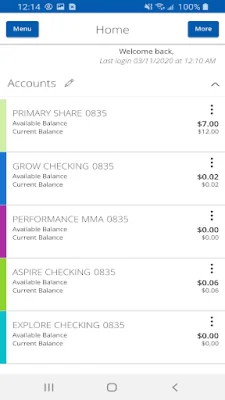
Latest Version
5.9.09
October 03, 2024
MAX Credit Union
Finance
Android
0
Free
com.q2e.maxcreditunion5035.mobile.production
Report a Problem
More About MAX Mobile Banking
The MONITOR application allows users to easily keep track of their finances by providing access to account balances, transaction history, eStatements, and eNotices. The Activity Center feature allows for easy monitoring of transfers, while account alerts can be set up and managed for added convenience and security.
With the TRANSACT feature, users can conveniently deposit checks using MAX Mobile Deposit, pay bills, and manage loans and lines of credit at MAX. Transferring money between MAX accounts and to accounts at other institutions is also possible, as well as sending money with MAX InstaPay. Users can also make changes to pending transactions as needed.
The APPLY feature allows users to easily apply for additional accounts, loans, and mortgages or other home loans. This makes it easy for users to manage their finances and apply for necessary financial services all in one place.
The CONTACT feature provides users with the ability to find the nearest MAX branches and ATMs, as well as surcharge-free ATMs worldwide. Users can also speak with a customer service consultant at their myMAX Service Center for any additional assistance they may need.
It is important to note that some features may only be available for eligible customers and accounts. The application is also federally insured by NCUA and is an equal opportunity lender. In order to provide these services, the application may require certain permissions such as location, contact, camera, and USB storage permissions. These permissions are necessary for features such as finding nearby branches and ATMs, sending money via MAX InstaPay, depositing checks, and viewing file attachments.
Rate the App















Popular Apps









