Miracast & Screen Mirroring
1.0.4 by Jakie Techno (0 Reviews) November 28, 2025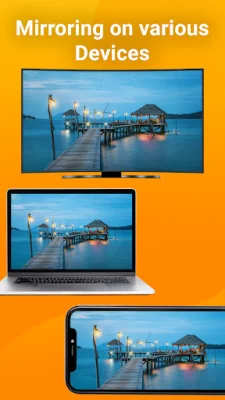
Latest Version
1.0.4
November 28, 2025
Jakie Techno
Tools
Android
0
Free
com.jt.screenmirror
Report a Problem
More About Miracast & Screen Mirroring
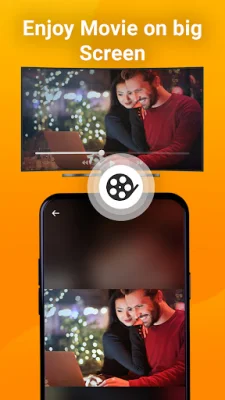
Screen mirroring is a method that allows you to display your smartphone's screen on your TV. With the Miracast & Screen Mirroring App, you can easily view all your games, images, videos, and other programs on a larger screen. This app, called Phone to TV, uses the same WiFi connection to scan and mirror your smart TV, making it an effective tool for casting videos and TV shows.
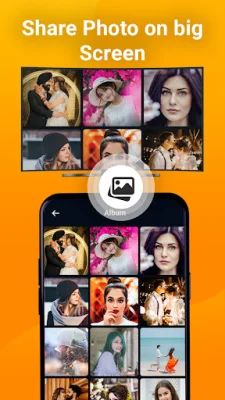
One of the key features of this app is its ease of use, making it accessible for everyone. It also offers a stable connection for casting from your smartphone to a larger TV screen. You can extend your phone's display to a TV and access online courses, play games, and watch movies for a more immersive experience. Additionally, you can share your happiness with loved ones and friends by projecting pictures, music, and videos from your phone onto a big screen in the living room.
This video and TV cast app also offers real-time screen sharing, allowing you to quickly and easily connect your phone to a TV with just one click. It is compatible with various media files and allows you to mirror your Android smartphone on a smart TV in high definition and at high speed.
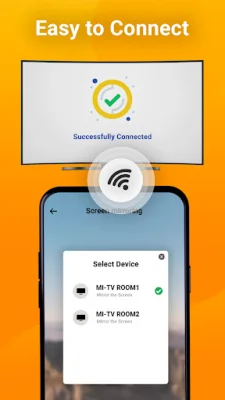
To use the screen mirroring feature, you simply need to turn on your TV, ensure that both your phone and TV are connected to the same network, and enable the screen mirroring feature on your TV. Then, with just one click, your devices will automatically connect, and you can start using your mobile device on a TV display.
This app supports a wide range of devices, including most smart TVs, Google Chromecast, DLNA receivers, Amazon Fire Stick and Fire TV, and Roku Stick and Roku TV. It is also compatible with all Android smartphones and versions. However, keep in mind that screen mirroring only works with Android-based Smart TVs, and Linux-based TVs are not supported. If you encounter any issues with your device, you can contact the app's support team for assistance.
Rate the App





Popular Apps









