
Miracast: TV Screen Mirroring
1.5 by Evotap (0 Reviews) October 18, 2024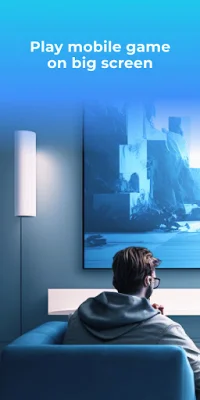



Latest Version
1.5
October 18, 2024
Evotap
Tools
Android
0
Free
com.evotap.screenmirroring
Report a Problem
More About Miracast: TV Screen Mirroring
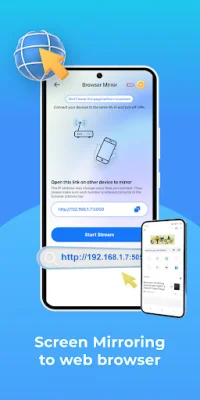
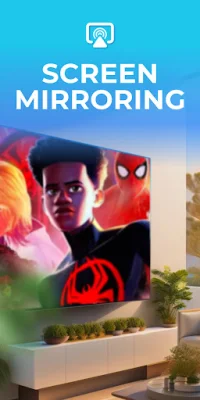
"Miracast: TV Screen Mirroring" is a top-rated application that allows you to easily mirror your phone screen onto your TV with just one tap. This app uses Miracast Technology to quickly and seamlessly cast your phone's screen onto a larger TV screen, providing you with the ultimate entertainment experience. There are two ways to mirror your phone screen onto a smart TV device: using Smart mirroring technology, which supports brands like LG, Sony, Samsung, and Chromecast, or using Miracast Web Browser technology, which supports all smart TV devices and other devices with web browsers.
The app offers a variety of features to enhance your viewing experience, including the ability to cast videos and movies to your TV, quick and easy connection with just one tap, support for multiple devices with Miracast, and quick and simple screen-mirroring. You can also quickly mirror your phone screen onto a larger TV screen, making it easier to enjoy your favorite content. The app is user-friendly and offers quick connectivity with Miracast, allowing you to play smartphone games on your TV and cast live videos from your web browser.
To use the app, your smart TV must support Wireless Display or Display Dongles, and it must be connected to the same Wi-Fi network as your phone. Once connected, you can easily search for and pair your device with the TV. It's important to note that the TV must be turned on and connected to Wi-Fi in order for the app to work.
As the app is constantly being developed and upgraded, your feedback and support are highly valued. You can provide feedback or support by contacting the app's support team at [email protected]. Please note that the app cannot turn on your TV, as it is not connected to Wi-Fi when it is turned off and cannot accept commands.
Before using the app, make sure to turn off any VPNs on your device, and ensure that your phone and TV are connected to the same Wi-Fi network. For more information, you can refer to the app's Terms of Use at https://evotap.net/terms-of-use/. We strive to provide original and SEO-oriented content for our users.
Rate the App










Popular Apps









