

Auto Clicker Pro - Smart Tap
by ACHIEVEDTECH (0 Reviews) April 24, 2026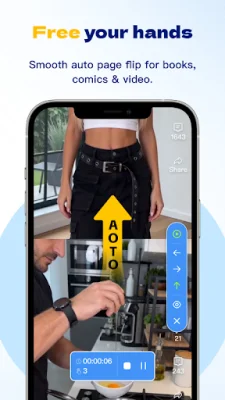

Latest Version
April 24, 2026
ACHIEVEDTECH
Tools
Android
0
Free
com.international.carefree
Report a Problem
More About Auto Clicker Pro - Smart Tap
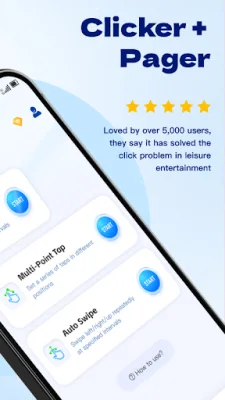
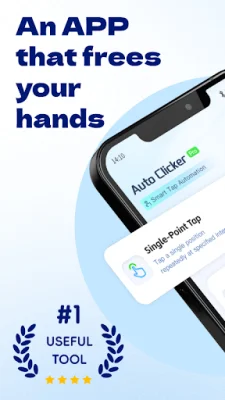
Auto-clicker: Hands-free is an innovative app that allows users to create custom tap points, set swipe paths, adjust timing, and run repeated actions automatically with an easy-to-use interface. This app is perfect for those who need to reduce repetitive manual operations and improve efficiency. With automatic tapping, users can set one or multiple tap points anywhere on the screen and let the app perform repeated taps automatically. The app also offers the ability to create custom swipe gestures with adjustable start and end points, duration, and interval timing. Users can even run multiple tap points in sequence or at the same time for more advanced automation tasks. One of the key features of Auto-clicker: Hands-free is its flexible timing controls. Users can customize delay, interval, press duration, repeat count, and execution speed to fit their specific needs. The app also offers a floating control panel, making it easy to start, pause, resume, or stop automation quickly. Setting up actions is simple with this app. Users can add action points visually and configure each step without complicated operations. This makes it perfect for beginners and those who want a hassle-free automation experience. Auto-clicker: Hands-free is designed to be hands-free, making it perfect for repeated screen interactions that would otherwise require constant manual tapping. It is lightweight, efficient, and supports both tap and swipe automation. It also offers adjustable intervals and durations, multi-action support, and is designed for repeated screen interaction. This app has a variety of use cases, including repeating tap actions, simulating swipe gestures, running simple repeated screen tasks, reducing manual repetitive operations, and improving convenience for repeated interactions. However, it is important to note that this app uses Accessibility Service to perform automated tap and swipe actions on the user's behalf. Accessibility permission is required for the core automation features to work properly, but the app does not collect personal text input, passwords, or sensitive personal data through the Accessibility Service. In order to provide automatic tapping and gesture automation, the app may require Accessibility Service permission and Overlay/display over other apps permission. These permissions are only used to support the app's automation controls and on-screen operation tools. Before starting automation, it is important for users to carefully configure their tap points, swipe paths, timing, and repeat settings to ensure that the actions behave as expected. Auto-clicker: Hands-free is built to make repeated touch actions easier, faster, and more convenient, making it a must-have app for anyone looking to improve their efficiency and reduce repetitive manual operations.
Rate the App















Popular Apps









