Mobile Business
4.4.2 by Danske Bank (0 Reviews) October 05, 2024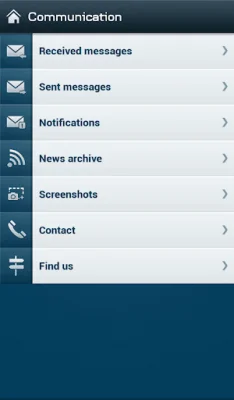

Latest Version
4.4.2
October 05, 2024
Danske Bank
Finance
Android
0
Free
com.danskebank.business.mobile
Report a Problem
More About Mobile Business
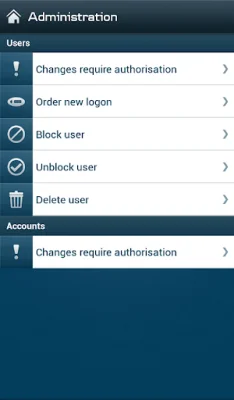
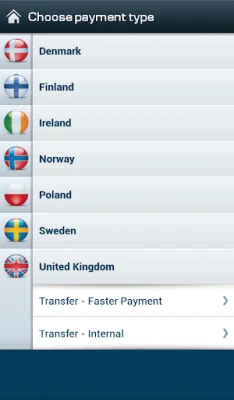
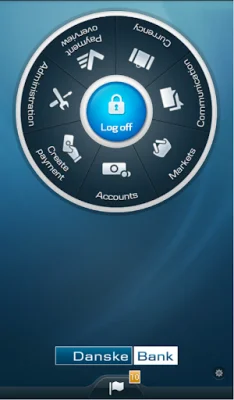
The Mobile Business app offered by Danske Bank Group allows users to easily manage their business accounts and transactions on-the-go. With a temporary PIN and eSafeID, users can complete their first logon and gain access to a variety of features. These include viewing accounts across the Group, tracking balance progress and graphs, and managing payments and transactions. Users can also authorize payments and make changes to their accounts, such as blocking or deleting users and ordering new logons.
One unique feature of the app is the ability to take, edit, and attach screenshots to secure messages, making communication with Danske Bank even more convenient. Users can also receive and view notifications, submit identity documentation (for DK customers), and locate the nearest branch or ATM. The app also offers a currency converter with exchange rates for over 25 currencies, although these rates are for indicative purposes only.
In order to use the Mobile Business app, users must first register for one of Danske Bank's online banking services for businesses. If they have not yet registered, they can easily do so by contacting Danske Bank or visiting their website. The app is available for all customers of the Group, and users can access all of their accounts with a single log-in agreement.
It's important to note that the app may be temporarily unavailable during routine maintenance, and market prices may be subject to a 15-minute delay. For personal customers of Danske Bank, there is a separate Personal Mobile app available. And for customers of Northern Bank Limited trading as Danske Bank, the app is still available but with some important information to keep in mind. Overall, the Mobile Business app offers a convenient and efficient way for businesses to manage their accounts and transactions with Danske Bank Group.
Rate the App














Popular Apps









