
Move app to SD card
9.9.13581 by jumobiledo (0 Reviews) November 04, 2025

Latest Version
9.9.13581
November 04, 2025
jumobiledo
Tools
Android
0
Free
com.ljmobile.move.app
Report a Problem
More About Move app to SD card
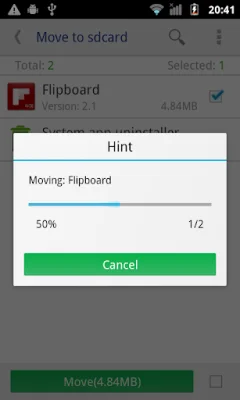
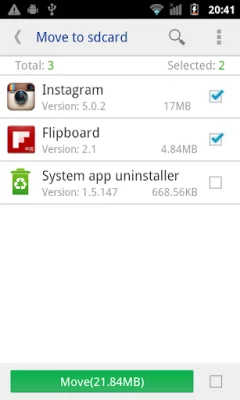
This application offers a variety of features that allow users to manage their apps more efficiently. One of the main features is the ability to move apps to either the SD card or the phone's internal storage. This can help free up space on the device and improve its overall performance. Users can also sort their apps by various categories such as movable, name, size, and time, making it easier to find and organize their apps.
Users also have the option to customize the information displayed in the app list. This includes the install time, package name, and APK path. This can be useful for users who want to keep track of when they installed certain apps or need to access specific information about an app.
In addition to managing apps, this application also provides details about each app. This includes the size, install time, package, and APK path. Users can also open the app directly from the app details page or search for it in the market or on a website using the app's name, package name, or APK name.
For users with root permission, there is an added feature that allows them to move multiple apps with just one click. This can save time and make the app management process even more convenient. However, it is important to note that if the SD card and system partition are on the same disk, apps cannot be moved from the system to the default SD card.
In summary, this app offers a range of useful features for managing apps on an Android device. From moving apps to customizing app information to searching for apps, this app can help users better organize and optimize their device's storage.
Rate the App















Popular Apps









