

Move to iOS
3.5.3 by Apple (0 Reviews) July 22, 2024
Latest Version
3.5.3
July 22, 2024
Apple
Tools
Android
0
Free
com.apple.movetoios
Report a Problem
More About Move to iOS
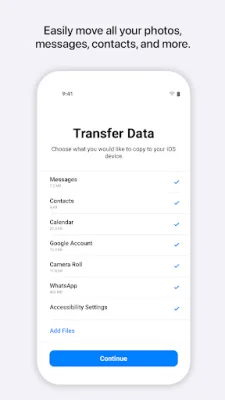
The Contacts application allows you to easily transfer your contacts from an Android device to a new iPhone or iPad. This means you won't have to manually input all of your contacts into your new device, saving you time and effort.
With the Message history feature, you can also transfer your text messages and conversations from your Android device to your new iPhone or iPad. This ensures that you won't lose any important conversations or information when switching to a new device.
The Camera photos and videos feature allows you to transfer all of your photos and videos from your Android device to your new iPhone or iPad. This means you won't have to worry about losing any precious memories or having to manually transfer each photo and video individually.
In addition to contacts, messages, and media, the application also allows you to transfer your Mail accounts. This means you won't have to set up all of your email accounts again on your new device, saving you time and hassle.
The Calendars feature allows you to transfer all of your important events and appointments from your Android device to your new iPhone or iPad. This ensures that you won't miss any important dates or deadlines when switching to a new device.
Lastly, the application also allows you to transfer your WhatsApp content, including chats, photos, and videos. This means you won't have to start fresh on your new device and can continue your conversations and access your media seamlessly.
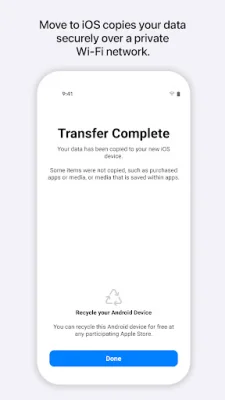
It's important to keep your devices nearby and connected to power during the transfer process to ensure a smooth and complete transfer. The application creates a private Wi-Fi network between your devices to securely transfer your data. Once the transfer is complete, you can start using your new iPhone or iPad and all of its endless possibilities. So why wait? Make the switch to iOS and enjoy a seamless transfer of all your important data.
Rate the App















Popular Apps









