
MTools BLE - BLE RFID Reader
141.08.13 by MTools Tec (0 Reviews) August 14, 2024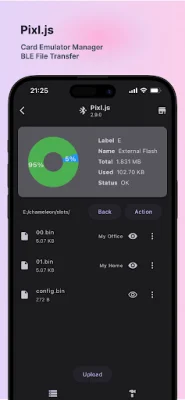

Latest Version
141.08.13
August 14, 2024
MTools Tec
Tools
Android
0
Free
com.mtoolstec.mtoolsLite
Report a Problem
More About MTools BLE - BLE RFID Reader
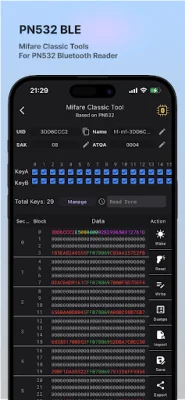
Mifare Classic Tools is an application that allows users to easily manage and manipulate data on Mifare cards. The user interface is designed to be user-friendly and intuitive, making it easy for anyone to use. The main features of the application include full dump reading, tag formatting, and partial or full sector writing.
The application also includes a UID Changer, which supports various types of Mifare cards such as Gen1A, Gen2, Gen3, and Gen4 Magic cards. It also supports Mifare Ultralight and Mifare DESFire cards. This feature allows users to change the unique identifier (UID) of their cards.
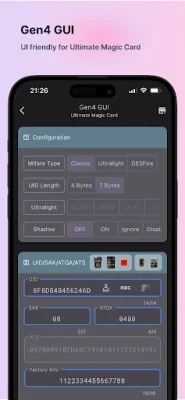
Another useful tool included in the application is the GEN4 GUI, which allows for configuration of Mifare Classic, Ultralight, and DESFire cards. It also has shadow mode settings, which allows for the manipulation of UID, SAK, ATQA, and ATS data. Additionally, users can set passwords for their cards using this feature.
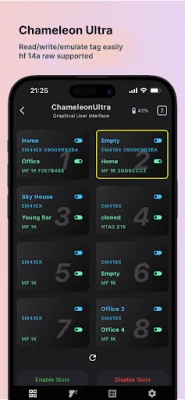
The ChameleonUltra feature of the application includes a slot manager, which allows for quick reading and simulating of data on Mifare cards. It also has a slot dump function, which allows users to view and manage data on their cards. The button settings feature allows for customization of button functions on the ChameleonUltra device. Users can also upgrade the firmware of their ChameleonUltra device using this application.
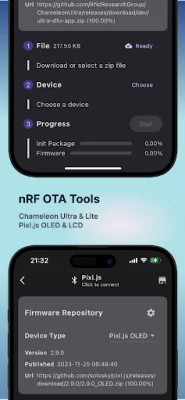
Pixl.js is another feature of the application that allows for BLE file transfer, dump uploading, and slot name editing. Users can also upgrade the firmware of their Pixl.js device using this application.
The application also includes a Tag Scanner, which can log and share tag IDs. This feature is useful for tracking and managing multiple Mifare cards. The Mifare Dump feature allows for importing and exporting of data in various formats such as bin, mct, and json. Users can also convert dumps to keys using this feature.
The Mifare Keys feature includes public and private keys for users, as well as a history of keys used on specific cards. This allows for easy management and organization of keys for different cards. Finally, the OTA Tool feature allows for firmware upgrades, with a user-friendly interface and the ability to select files for upgrading.
Rate the App















Popular Apps









