

My Files - File Manager
by Face up (0 Reviews) December 11, 2025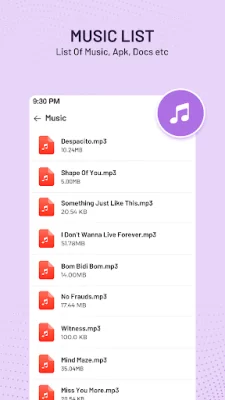

Latest Version
December 11, 2025
Face up
Tools
Android
0
Free
com.tool.file.filemanager
Report a Problem
More About My Files - File Manager
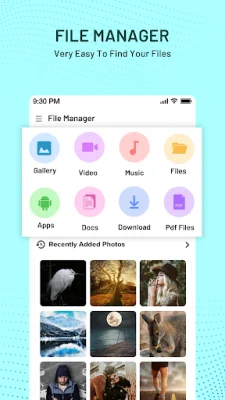
My Files is an application that allows you to easily explore and manage all of your files and folders on your Android device. It offers a wide range of actions such as renaming, unzipping, and compressing files, making it a versatile tool for file management. With its robust file transfer capabilities, you can easily move various types of files, including images, music, apps, documents, and movies, between your device and other storage mediums.
The app also includes a built-in tool for cleaning up unnecessary files, helping you free up valuable space on your device. It supports multiple file formats, including MP4, AVI, PDF, DOC, and APK, making it suitable for managing a variety of files such as videos, documents, music, and images. Its user-friendly interface and ability to handle zip and rar files make it an essential tool for every Android user.
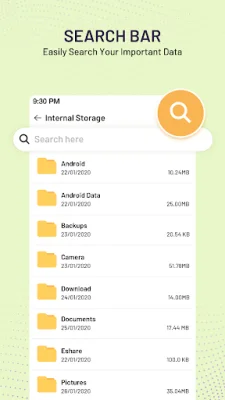
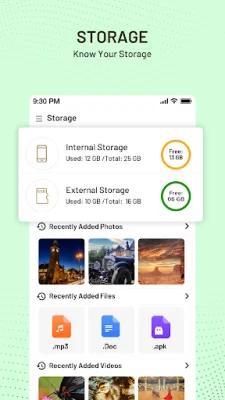
Some key features of My Files include file transfer, file management, file compression and decompression, storage management, multiple view options, support for various file formats, cloud storage integration, file sharing, folder shortcuts, security features, file cleaner, and a user-friendly interface. These features make it a comprehensive and efficient file manager for Android devices.
While there are other popular file manager apps available, such as ES File Manager and Google File Manager, My Files offers unique features such as cloud storage integration and folder shortcuts. Other options like Amaze File Manager, Astro File Manager, FX File Manager, File Commander, Solid Explorer, X-plore File Manager, MK Explorer, and File Manager also offer various advanced features for efficient file management. It is recommended to choose the app that best fits your needs and preferences.
Whether you are a tech enthusiast or simply looking for a straightforward way to manage your files, My Files - File Manager is the perfect app for you. It is a free, user-friendly, and versatile tool that can help you organize and manage your files efficiently on your Android device. So, if you want to optimize your device's storage and speed, give My Files a try and experience its powerful file management capabilities.
Rate the App











Popular Apps









