

My Finances - Bills Reminder
6.8.5 by Nimtech TI (0 Reviews) November 04, 2025
Latest Version
6.8.5
November 04, 2025
Nimtech TI
Finance
Android
0
Free
cicero.minhasfinancas
Report a Problem
More About My Finances - Bills Reminder
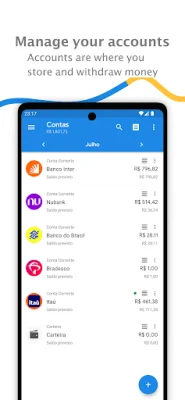
The app is a comprehensive financial tool that offers a variety of essential features to help users manage their finances effectively. It stands out as the most comprehensive application in the financial category due to its wide range of functionalities.
One of the main features of the app is its ability to track all types of income, including bank accounts, salary, informal income, and commerce. It also allows users to monitor their expenses and revenues, such as installments, fixed and variable expenses. With this, users can have a clear understanding of their monthly and annual savings.
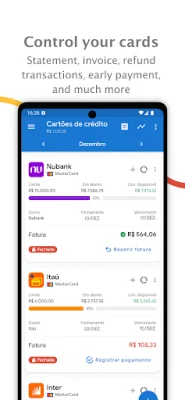
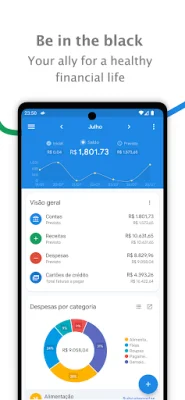
The app also offers credit card control, allowing users to keep track of their credit card statements and registered accounts in detail. The home screen can be fully customized to display the most relevant information for each user. Additionally, the app allows for data export to various formats, including Excel, PDF, CSV, and HTML.
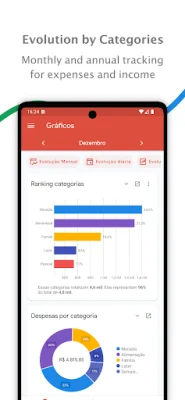
The app also provides various graphs to display expense and revenue evolution in the form of line, bar, or pie charts. In the Reports menu, users can filter their history of revenues and expenses by account, categories, and subcategories. The app also offers statistics that provide averages between expenses on days, weeks, or months, allowing users to compare their current habits to past ones.
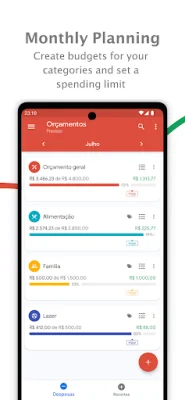
To help users organize their finances, the app allows for categorization and subcategorization of revenues and expenses. It also offers the option to add multiple categories for expenses and a calendar to track finances throughout the month. The app also integrates with Google Calendar and other calendars on the device to set expense reminders. It also offers password protection and the option to enter with biometrics on compatible devices. Other features include notifications for upcoming expenses and the ability to attach receipts for revenues, expenses, transfers, and credit card statements. Users can also transfer funds between accounts and set budgets for categories and subcategories. The app also allows for the import of OFX files from bank accounts and credit cards or CSV files in the standard accepted by the app. Additionally, users can use the calculator within the Tools menu to calculate their investments.
Rate the App















Popular Apps









