

Network Analyzer
3.12 by Jiri Techet (0 Reviews) July 27, 2024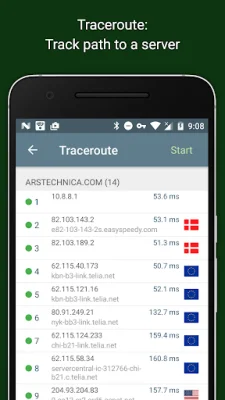
Latest Version
3.12
July 27, 2024
Jiri Techet
Tools
Android
0
Free
net.techet.netanalyzerlite.an
Report a Problem
More About Network Analyzer
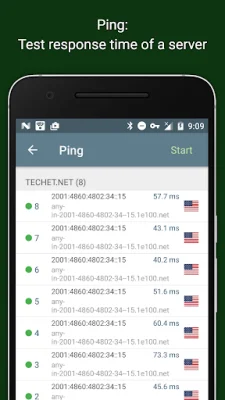
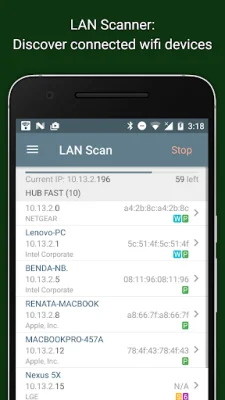
This application is designed to help users discover and analyze their wifi and LAN networks. It includes a fast wifi device discovery tool that provides information on all connected devices, such as their addresses, manufacturers, and names. Additionally, it offers standard network diagnostic tools like ping, traceroute, port scanner, DNS lookup, and whois. This allows users to troubleshoot any network issues they may encounter.
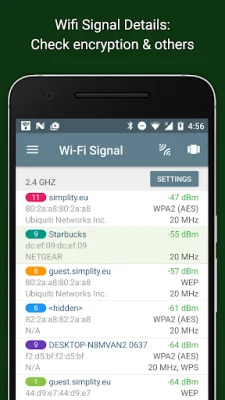
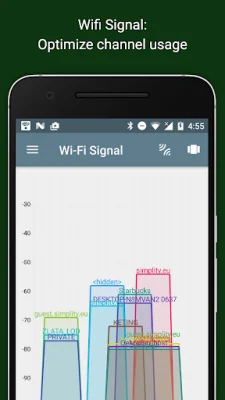
The app also displays neighboring wifi networks, along with details like signal strength, encryption, and router manufacturer. This can help users find the best channel for their wireless router. It works with both IPv4 and IPv6, ensuring compatibility with a wide range of devices.
One of the key features of this app is the wifi signal meter, which provides both graphical and textual representations of network channels and signal strengths. It also shows information on the type of wifi network (WEP, WPA, WPA2), encryption (AES, TKIP), BSSID (router MAC address), manufacturer, and WPS support. For devices running Android 6 or newer, it also displays bandwidth information.
The LAN scanner is another useful tool, offering fast and reliable detection of all network devices. It provides information on the vendor name, IP, and MAC addresses of all discovered devices, as well as their NetBIOS, mDNS (bonjour), LLMNR, and DNS names where available. Users can also perform a pingability test on discovered devices and check for IPv6 availability.
The app also includes features for ping and traceroute, allowing users to test the round trip delay and view IP addresses and hostnames for each network node. It supports both IPv4 and IPv6, which can be selected by the user.
The port scanner is another useful tool, using a fast and adaptive algorithm to scan for common ports or user-specified port ranges. It can detect closed, firewalled, and open ports, and provides descriptions of known open port services.
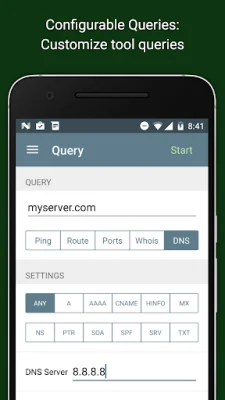
Other features of this app include whois lookup for domains, IP addresses, and AS numbers, DNS lookup for various record types, and network information such as default gateway, external IP (v4 and v6), DNS server, wifi network information (SSID, BSSID, IP address, etc.), and cell network information (IP address, signal strength, network provider, etc.). It also offers full support for IPv6 and regular updates, as well as a detailed help section and SEO-oriented support page.
Rate the App















Popular Apps









