

Network Analyzer Pro
3.12 by Jiri Techet (0 Reviews) July 27, 2024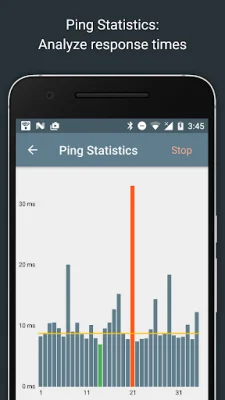
Latest Version
3.12
July 27, 2024
Jiri Techet
Tools
Android
0
$3.99
net.techet.netanalyzer.an
Report a Problem
More About Network Analyzer Pro
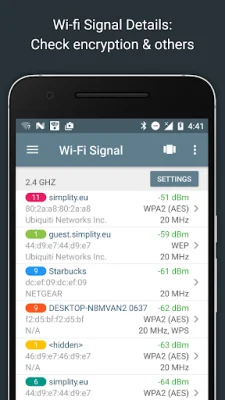
This application is designed to help users discover and analyze their wifi and LAN networks. It includes a fast wifi device discovery tool that can show the addresses, manufacturers, and names of all devices on the network, as well as the services they provide. It also has standard network diagnostic tools like ping, traceroute, port scanner, DNS lookup, whois, and a network speed test. The app can also display neighboring wifi networks and provide details like signal strength, encryption, and router manufacturer to help users find the best channel for their wireless router. It works with both IPv4 and IPv6 networks.
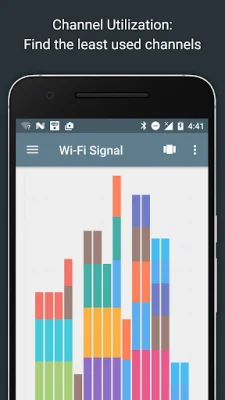
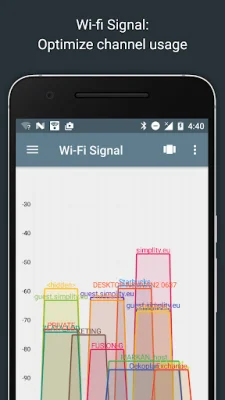
The app also features a wifi signal meter that can show both graphical and textual representations of network channels and signal strengths. It can also display a channel usage graph and provide information about the type of wifi network (WEP, WPA, WPA2), encryption (AES, TKIP), BSSID (router MAC address), manufacturer, and WPS support. On Android 6 and newer devices, it can also show bandwidth information.
The LAN scanner in the app can quickly and reliably detect all devices on the network. It can provide information about the vendor name, IP and MAC addresses, and even the NetBIOS, mDNS (Bonjour), LLMNR, and DNS names of the devices. Users can also test the pingability of discovered devices and see if they support IPv6. The app also has a Wake on LAN (WOL) feature, allowing users to remotely wake up devices. It can also scan custom IP ranges and allow users to set custom device names. The app also has filtering and search options for the discovered device list.
For users on Android 9 and below, the app also has a network connections feature that works similarly to the unix netstat tool. It can show network connections made by other apps, including the local and remote addresses and port numbers, state of the connection, remote hostname, and the name of the app that made the connection. It supports TCP, UDP, IPv4, and IPv6 connections.
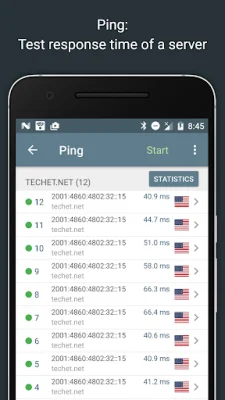
The app also has a routing table feature that displays the destination and gateway, interface used, and flags for both IPv4 and IPv6 networks. It also has ping and traceroute tools that can show the round trip delay, geolocation data, AS number and network name information, and a complete trace route visualization on a map. Users can also view graphical ping statistics in real time and select between IPv4 and IPv6.
The port scanner in the app uses a fast and adaptive algorithm to scan the most common ports or user-specified port ranges. It can detect closed, firewalled, and open ports and provide descriptions of known open port services. Users can scan a complete port range or select from a list of common ports, and they can also choose between IPv4 and IPv6.
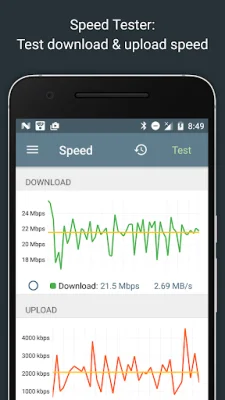
The app also has a whois feature for looking up information about domains, IP addresses, and AS numbers, as well as a DNS lookup function similar to nslookup or dig. It supports A, AAAA, SOA, PTR, MX, CNAME, NS, TXT, SPF, and SRV records. Users can also test their internet speed with a download and upload speed test, view a graphical speed test, and see their speed test history.
The app also provides network information like the default gateway, external IP (v4 and v6), DNS server, and HTTP proxy. It can also show wifi network information like SSID, BSSID, IP address, subnet mask, and signal strength, as well as cell network information for 3G and LTE networks. Users can also browse for Bonjour services and UPNP/DLNA services and devices.
Other features of the app include full IPv6 support, a history of all performed tasks with the ability to save favorites, export options, copy/paste support, detailed help, and regular updates. The app also has a support page and aims to be original and SEO-oriented.
Rate the App















Popular Apps









