

Network Analyzer: WiFi Scanner
1.0.8 by AppsInception (0 Reviews) October 28, 2025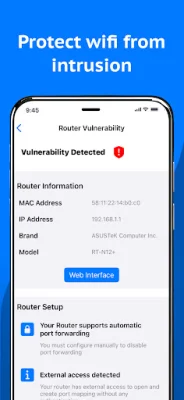
Latest Version
1.0.8
October 28, 2025
AppsInception
Tools
Android
0
Free
com.appsinception.networkinfo
Report a Problem
More About Network Analyzer: WiFi Scanner
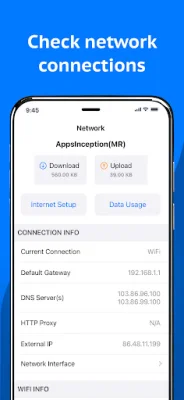
Network Analyzer: WiFi Scanner is a comprehensive application that provides users with detailed information about their network connections. It allows users to view their current connection with default gateway, HTTP Proxy, external IP, DNS server(s), and ISP name. Additionally, it offers Wi-Fi information and analysis, including network details such as SSID, BSSID, vendor, IP address, IPv6 address, subnet mask, broadcast, Wi-Fi security type, Wi-Fi channel, and bandwidth. Users can also view cell/mobile network information, VPN and hotspot network information, and internet information such as AS Number, AS Name, public address, hostname, time zone, and location with a map.
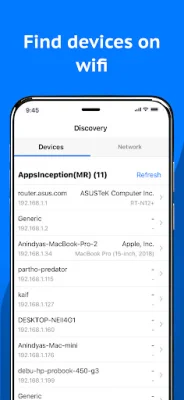
The app also features a Wi-Fi signal scanner that displays the Wi-Fi frequencies (2.4 GHz and 5 GHz), nearby networks with channels and signal strengths, and Wi-Fi network types and encryption methods. Users can also view the BSSID (MAC address), MAC vendor, network bandwidth, and Wi-Fi standards. The device discovery feature allows users to scan their LAN or IP to detect all online devices connected to the network. It provides IP addresses of all detected devices and identifies mDNS (Bonjour), netBIOS, UPnP, and DNS names where available. Users can also conduct ping tests on discovered devices and view device details, Wi-Fi network details, and discover online devices in their home and office Wi-Fi network.
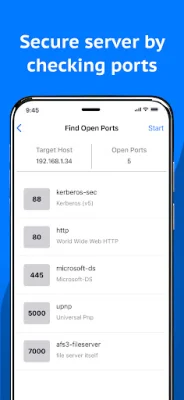
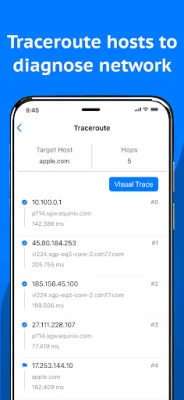
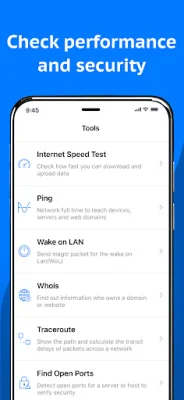
The app also offers advanced network tools to verify internet performance, improve network security, troubleshoot, and monitor the network. These tools include internet speed test/Wi-Fi speed test, ping, wake on LAN (WOL), traceroute (including visual trace), find open ports, router vulnerability, privacy analyzer, whois, IP address lookup, DNS lookup, and MAC address lookup. The local service discovery feature allows users to browse Bonjour services and UPnP services and devices.
Network Analyzer: WiFi Scanner supports both light and dark appearances, making it convenient for users to use the app in any lighting condition. It is an essential tool for anyone looking to efficiently manage and troubleshoot their network connections. With its comprehensive features and user-friendly interface, it is a must-have for network administrators and regular users alike.
Rate the App














Popular Apps









