

Network Shortcut
by Damiano Perri (0 Reviews) May 22, 2026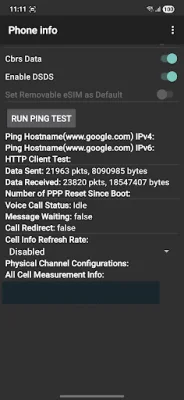
Latest Version
May 22, 2026
Damiano Perri
Tools
Android
0
Free
com.damianop.network
Report a Problem
More About Network Shortcut
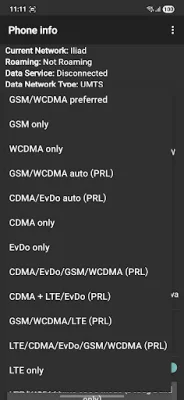
If you're constantly struggling with an unstable phone connection that keeps switching between 4G and 3G, this app is the solution you've been looking for. With just a few simple steps, you can force your phone into an "LTE Only" mode for better speed and stability while gaming or streaming. And the best part? It's all accessible through a convenient shortcut.
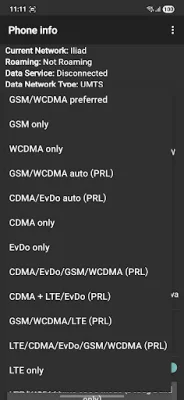
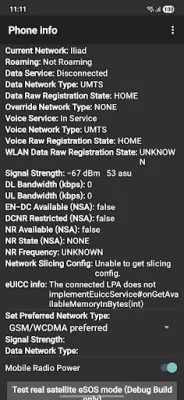
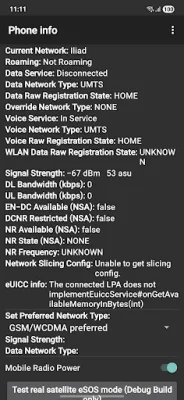
By accessing the advanced network settings, you can instantly open the hidden "Testing" or "Radio Info" menu. From there, you can lock your network mode to "LTE Only", "WCDMA/3G Only", "GSM Only", or any other available mode to stabilize your connection. You can also monitor your signal strength in real-time, with detailed information about your network signal such as RSSI, RSRP, and RSRQ. And if you need to check your phone's information, like your IMEI or phone number, you can do so quickly and easily.
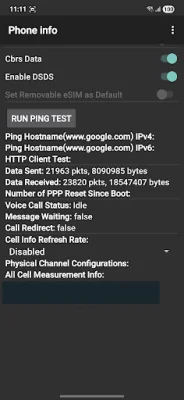
But that's not all - this app also allows you to run ping tests to check the connectivity to your host. And the best part? It's all done with simplicity in mind. There's no setup required, no ads, and no unnecessary permissions. This tiny app does one thing perfectly: it saves you the hassle of dialing the secret code *#*#4636#*#*.
So how does it work? It's as easy as installing and opening the app. The hidden network settings menu will launch instantly, and once you're done making your changes, the app will close, leaving you in the settings menu. It's a seamless and hassle-free experience.
However, it's important to note that this app simply opens a built-in, secret Android activity. This means that its availability depends on your phone's manufacturer and Android version. If your manufacturer has removed or blocked access to this menu, the app will not work on your device. This is not a bug in the app, but rather a limitation of your specific device's software. So if you're looking for a reliable and efficient way to improve your phone's connection, give this app a try and see the difference it can make.
Rate the App













Popular Apps









