
Network Tools: IP, Ping, DNS
1.10 by WORLD GLOBLE APPS (0 Reviews) October 18, 2024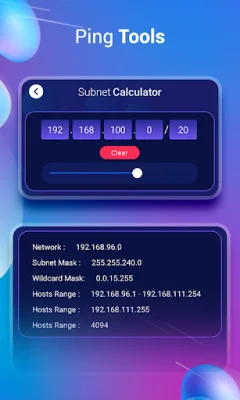
Latest Version
1.10
October 18, 2024
WORLD GLOBLE APPS
Tools
Android
0
Free
com.world.globle.network.tools.vs
Report a Problem
More About Network Tools: IP, Ping, DNS
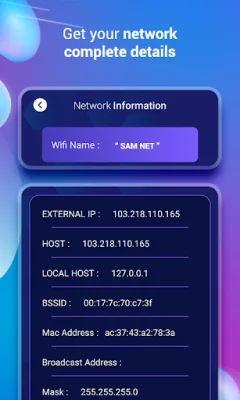
This application is designed to provide users with a comprehensive set of tools and information related to their network. With this app, users can easily access and view detailed information about their WiFi and mobile networks, including data such as WiFi name, external IP, host address, local host, BSSID, Mac address, broadcast address, mask, and gateway. This information can be useful for troubleshooting network issues or simply for gaining a better understanding of one's network setup.
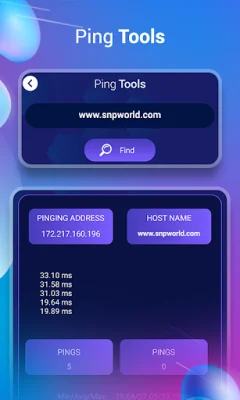
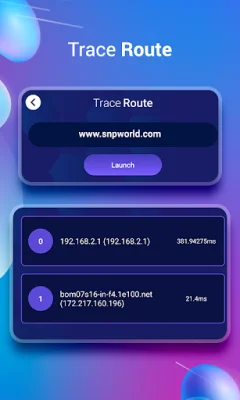
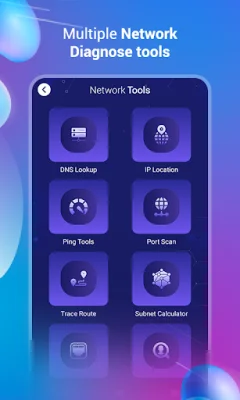
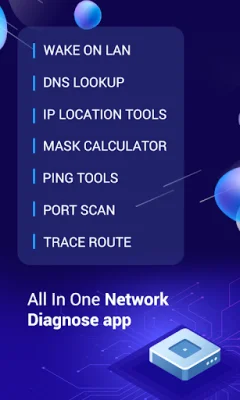
One of the key features of this app is its network tools, which offer a variety of functions to help users manage and analyze their network. These tools include a DNS lookup tool, which allows users to perform MX, A, NS, TXT, and reverse DNS lookups. Additionally, the app offers an IP location feature, which can provide information about the city, country code, latitude, and longitude associated with a given IP address. Users can also utilize the IP calculator to calculate information such as IP address and subnet mask. The app also includes a port scan feature, which can automatically find open ports and scan all hosts, as well as a trace route function that displays the route between a user's device and the servers they pass while accessing a website.
In addition to these tools, the app also offers a network analyzer feature, which can identify nearby access points and graph channel signal strength. This can be useful for optimizing network performance and identifying potential sources of interference. The app also includes network statistics, which allow users to view a list of all apps based on time period and network data usage, including daily, weekly, monthly, and yearly data.
Overall, this app provides users with a comprehensive set of tools and information to help them manage and troubleshoot their network. Whether users are looking to diagnose network problems or simply gain a better understanding of their network setup, this app offers a user-friendly and efficient solution. With its range of features and user-friendly interface, this app is a valuable tool for anyone looking to optimize their network performance.
Rate the App















Popular Apps









