

NetX Network Tools PRO
10.2.4.0 by NetGEL (0 Reviews) August 13, 2024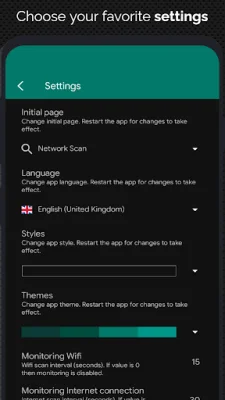

Latest Version
10.2.4.0
August 13, 2024
NetGEL
Tools
Android
0
$2.99
com.tools.netgel.netxpro
Report a Problem
More About NetX Network Tools PRO
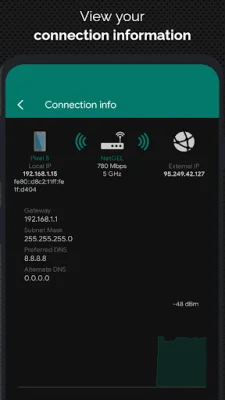
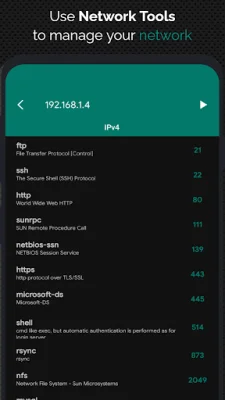
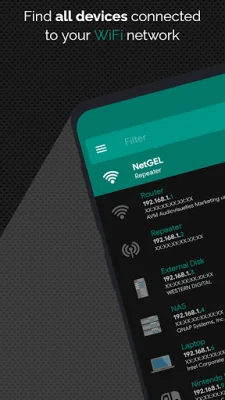
This application is designed to help users discover and manage all devices connected to their network. It displays important information for each device, such as IP address, MAC address, vendor, Bonjour name, NetBIOS name and domain, UPnP name, manufacturer, and model name. Users can also use the app to remotely wake up or put a device to sleep or shut it down using Wake On LAN (WOL) and Secure SHell (SSH) protocols. The app also allows users to load all previously detected devices offline and manually add new networks or devices for management. The network analyzer feature provides information about the wifi connection, including external IP, signal strength, download and upload speed, subnet mask, gateway, and DNS. It also shows information about the mobile provider, such as external IP, signal strength, download and upload speed, CID, LAC, MCC, and MNC. Users can also use the wifi scan to find nearby wifi networks and view their SSID, signal strength, channel, and encryption. The app also displays a graphical representation of bandwidth and channel overlap for wifi networks. The network monitor feature allows users to remotely monitor and diagnose devices, showing CPU and RAM usage, as well as available memory on disks. The app also has a network security feature that sends notifications when a new or unknown device connects to the network. The app also includes various net tools, such as a ping tool to test connectivity to devices and hostnames, a port scanner to scan common ports, and an IP calculator to calculate network parameters. It also has a traceroute feature to show the route of packets on a map, an IP location feature to show the position of an IP address on a map, and a MAC address lookup and DNS lookup feature. Users can also back up and restore data on their local folder, as well as perform a speed test to calculate download and upload speeds. The app supports tethering mode and IPv6 for certain features. Users can also follow the developer on Twitter for updates and support. With a variety of features and language options, this app is a comprehensive tool for managing and monitoring a network.
Rate the App















Popular Apps









