
NFC Tools: Tag Reader & Writer
by MONIQ TAP., CO LTD (0 Reviews) March 25, 2026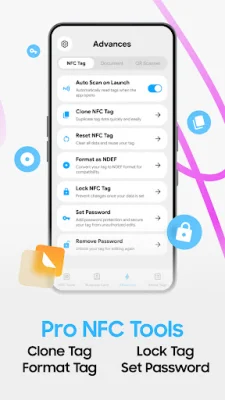

Latest Version
March 25, 2026
MONIQ TAP., CO LTD
Tools
Android
0
Free
com.moniqtap.nfc.tools.reader
Report a Problem
More About NFC Tools: Tag Reader & Writer
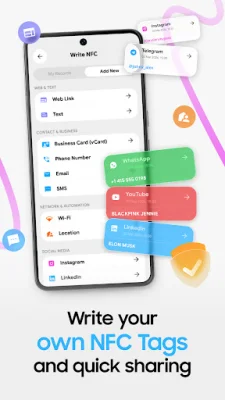
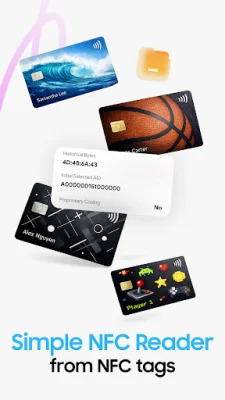
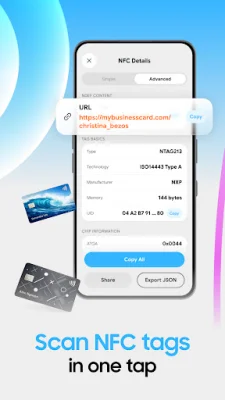
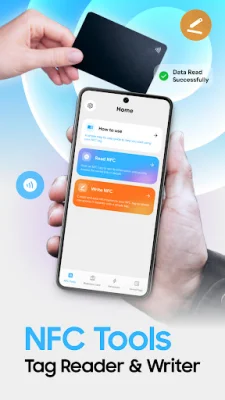
Turn your phone into a powerful NFC tool with the NFC Tools app. This app allows you to scan, read, and write NFC tags in just seconds. With a simple tap of your device, you can access information, create your own tags, and share data with others. The app is designed to be user-friendly and perfect for both beginners and regular NFC users. One of the main features of NFC Tools is its ability to instantly scan NFC tags. This process is quick and effortless, allowing you to open links and websites, view text or contact details, and access stored NFC data. There is no setup required, making it easy for anyone to use. In addition to scanning, NFC Tools also allows you to write your own NFC tags. This feature is perfect for sharing links or information, creating smart tags for daily use, and simplifying repetitive actions. It's a great tool for both personal and practical use. For those looking for more advanced features, NFC Tools offers powerful capabilities for managing NFC tags. This includes the ability to handle tags with flexibility and unlock advanced features while still maintaining a clean and easy-to-understand experience. One unique feature of NFC Tools is the ability to create NFC business cards. This allows you to share your contact details in a modern and seamless way. With NFC business cards, you can instantly share your information, connect faster in meetings or events, and make a lasting impression with a simple tap. The app is designed to be user-friendly, with a clean interface, easy navigation, and fast performance. Whether you're new to NFC or a regular user, NFC Tools makes it easy to get things done without any complexity. To use the app, simply open it and tap on "Scan NFC." Then, hold your phone near the NFC tag to view or save the tag data. If you want to write a tag, choose "Write NFC Tag" and follow the steps. The only requirements are an Android device with NFC support and NFC enabled in your system settings. It's important to note that while the app is free to install, there are some premium features that require a purchase or subscription to use. Non-subscribed users can still use each premium feature a limited number of times per day. Subscriptions automatically renew unless cancelled 24 hours before the end of the period. You can manage your subscription and turn off auto-renewal in your account settings. Any unused portion of a free trial will be forfeited if you subscribe. In conclusion, NFC Tools is a powerful and user-friendly app that allows you to scan, write, and manage NFC tags with ease. It's perfect for both personal and practical use, and offers advanced features for those looking for more control. Make your NFC experience simpler and more efficient with NFC Tools.
Rate the App












Popular Apps









