nRF Connect for Mobile
4.28.1 by Nordic Semiconductor ASA (0 Reviews) July 26, 2024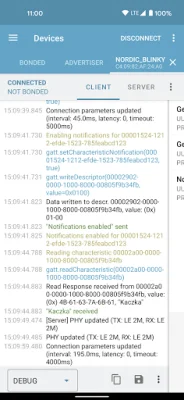
Latest Version
4.28.1
July 26, 2024
Nordic Semiconductor ASA
Tools
Android
0
Free
no.nordicsemi.android.mcp
Report a Problem
More About nRF Connect for Mobile
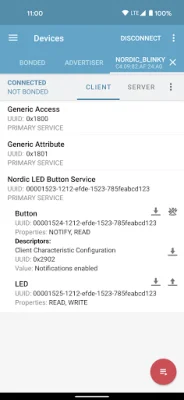
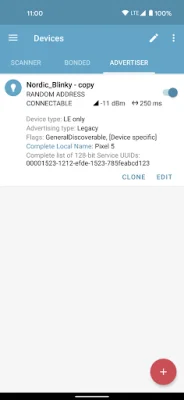
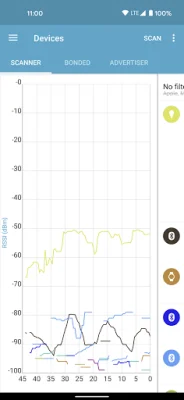
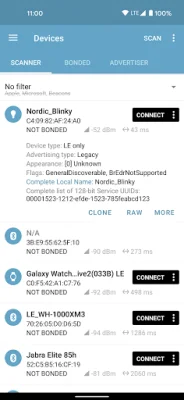
The nRF Connect application is a powerful tool for developers and users alike, providing a comprehensive set of features for working with Bluetooth Low Energy (BLE) devices. With this app, users can easily scan for BLE devices, view and analyze advertisement data, and connect to compatible devices. The app also supports a variety of advanced features, such as reading and writing characteristics, enabling notifications and indications, and even performing automated tests on devices. One of the key features of nRF Connect is its ability to scan for BLE devices and parse their advertisement data. This allows users to quickly and easily discover nearby devices and gather information about them. The app also includes a handy RSSI graph, which displays the signal strength of each device over time. Users can also export this data to CSV or Excel formats for further analysis. Once a device is connected, nRF Connect can discover and parse its services and characteristics. This allows users to view and modify the device's settings and data. The app also supports Reliable Write, which ensures that data is accurately transmitted between the device and the app. Additionally, nRF Connect can parse the number of characteristics adopted by the Bluetooth SIG, providing valuable information about the device's capabilities. For more advanced users, nRF Connect offers support for Bluetooth LE advertising (Android 5+ required) and the ability to read and update PHY (Android 8+ required). The app also includes GATT Server configuration and supports the Device Firmware Update (DFU) profile, which allows users to update their device's firmware over-the-air (OTA). Additionally, nRF Connect supports the McuMgr profile, which enables users to control and update Zephyr-based devices. In addition to its powerful features, nRF Connect also works well with the nRF Logger application. This allows users to store logs in case of any issues with nRF Connect. The app is supported on Android version 4.3 or later, and nRF5x Development kits can be ordered from the Nordic Semiconductor website. For more information about automated tests, users can visit the GitHub page for nRF Connect. To enhance the app's functionality, users can also download the Nordic UART Service and use Macros to record and replay common operations.
Rate the App















Popular Apps









